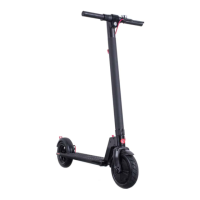
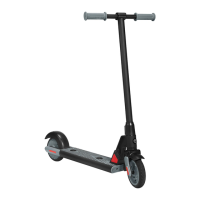
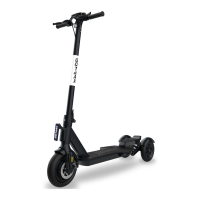
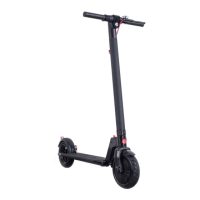
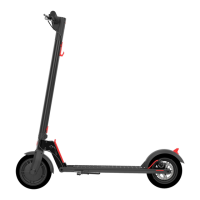
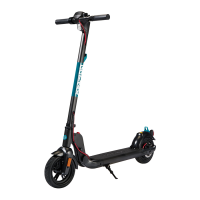
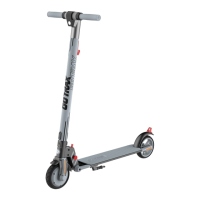
The GOTRAX G4 Scooter is an electric scooter designed for personal transportation, offering a convenient and eco-friendly way to travel. This user manual provides comprehensive instructions for assembling, operating, maintaining, and troubleshooting the scooter, ensuring a safe and enjoyable riding experience.
Function Description
The GOTRAX G4 Scooter is an electric-powered personal mobility device. It features a motor that propels the scooter, allowing riders to travel at various speeds. The scooter is equipped with a display console that provides essential information to the rider, such as speed, distance traveled, battery life, and headlight status. It also includes a handbrake for slowing down and stopping, and a folding mechanism for easy storage and portability. The scooter is designed for individual use and is intended for smooth surfaces like carparks, roads, footpaths, and bike lanes.
Usage Features
- Assembly: The scooter comes partially assembled. To complete the assembly, riders need to straighten and lift the tiller upright, secure it by pressing the folding lever until it locks, and then insert the exposed cable into the tiller before attaching and securing the console with screws.
- Charging: Before the first use, the scooter's battery must be fully charged. To charge, open the rubber charging port cover, insert the charging plug, and monitor the charger box light (red for charging, green for fully charged). After charging, ensure the port cover is closed to protect against dust and debris. It's crucial to charge the scooter within a temperature range of 32 to 104 degrees Fahrenheit.
- Power On/Off: The scooter is powered on and off by a long press of the power button.
- Headlight/Tail Light Control: The headlight and tail light can be powered on and off by holding the "+" button for 3 seconds.
- Display Lock/Unlock: The display features a lock mechanism. To unlock, the default password "000" must be entered using the "+" button to input each digit and the power button to set. After entering all three zeros, press the power button twice to deactivate the lock.
- Setting Custom Display Code: Riders can set their own three-number code for the display lock. This is done by pressing the "+" button and the power button together for 10 seconds. Then, use the "+" button to input the first number of the desired code and press the power button to set. Repeat this process for all three numbers. Once the custom code is selected, press the power button twice to deactivate the lock.
- Cruise Control: While moving, pressing the throttle for 8 seconds activates the cruise control feature. To cancel cruise control, simply press the handbrake.
- Push Assist Mode: For easier walking alongside the scooter, a push assist mode can be activated by holding the "-" button. Once activated, the scooter will move at 1.8 mph.
- Riding Initiation: To start riding, place one foot on the platform and the other on the ground. Push off with the foot on the ground while simultaneously pressing the throttle button to begin movement.
- Braking: To slow down or stop, press the brake handbrake.
- Tiller Lock/Unlock (for storage): The tiller can be locked for secure storage. To lock, adjust the password wheel to "0000", pull the lock pin, and insert it into the lock hole. Scramble the password wheel to secure the lock. To unlock, adjust the password wheel to "0000", press the button, pull out the lock pin, and insert the lock pin cord back into the tiller.
- Setting Custom Tiller Lock Code: To set a personalized four-digit code for the tiller lock, adjust the password wheel to "0000", then push the set button to the "set" position. Adjust the password wheel to the desired four-digit code, and then push the set button back to the left.
- Folding and Unfolding: Before folding, ensure the scooter is powered off. To fold, press the lock buckle and pull down the lever, then fold the tiller down towards the rear fender and lock the tiller hook to the fender hook buckle. To unfold, disconnect the tiller hook from the fender hook, pull the tiller upwards, and lock the locking device on the bottom of the tiller by pulling the clamp towards the tiller. Always test the tiller to ensure it is locked into place before riding.
- Safety Precautions: Always wear a helmet when riding. Ensure the battery is full before riding. Be aware of and follow local road laws. Do not ride under the influence of drugs or alcohol. Respect pedestrians. Avoid riding in wet conditions, as this can cause injury, damage electronics, and void the warranty. Do not exceed the maximum load rating of 220 lbs (100 kg). The scooter should not be used by children under 16 years of age.
Maintenance Features
- Regular Cleaning: Regularly cleaning and maintaining the scooter will extend its lifespan. If the scooter is dirty, wipe it clean with a soft, damp cloth. Avoid using alcohol, gasoline, kerosene, or corrosive chemical solvents, as these can damage the scooter's appearance and structure. Do not use a pressure washer, as it may damage the electronics.
- Disc Brake Adjustments: If the brake is too tight, use a 4mm Allen wrench to loosen the screws counterclockwise, push the brake wire to shorten it, and then lock the screw in place. If the brake is too loose, loosen the screws, pull the brake wire to extend it, and then lock the screws.
- Tiller Adjustments: If the tiller wiggles during riding, check the folding mechanism. Use an Allen wrench to tighten the screws as indicated in the manual's figures.
- Tire Pressure: Periodically check tire pressure. If it's low, inflate to the recommended PSI of 50, which is typically found on the side of the tire.
- Storage: When not in use, store the scooter in a dry and cool location. Avoid storing it outdoors, as sun exposure can damage its appearance and reduce the life of the battery and tires.
- Battery Information: Only use the approved GOTRAX power adapter for charging to prevent fire risks and equipment damage. Dispose of used batteries properly according to local regulations to avoid environmental pollution. Store the scooter and power adapter within a temperature range of -4 to 122 degrees Fahrenheit. Prolonged exposure to UV rays, rain, and other elements can damage enclosed materials; store indoors when not in use. The battery is not user-serviceable.
- Troubleshooting and Warranty: For troubleshooting assistance or more detailed information, contact the customer service team at GOTRAX.com. Warranty information is also available on GOTRAX.com. User manuals are frequently updated online.

 Need help?
 General

 To Next Page