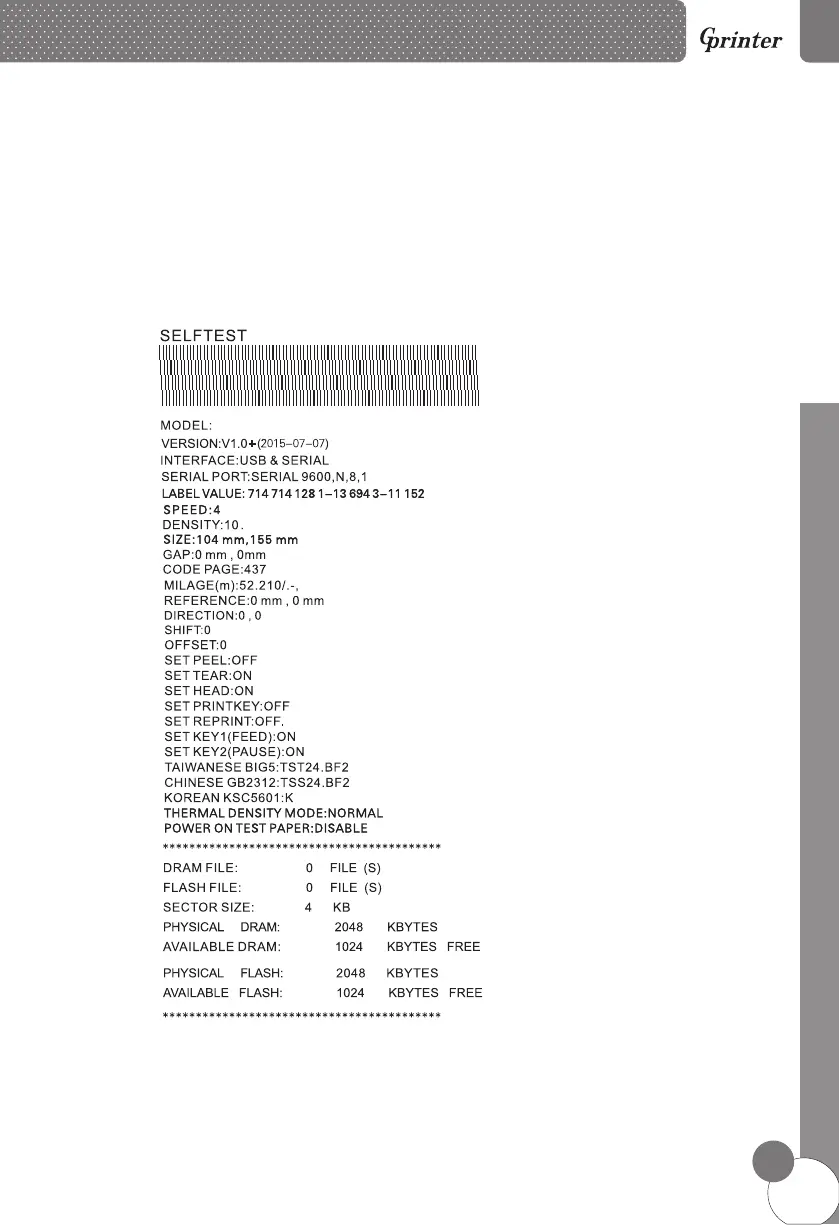
4.3.1 Self-test
To start the printer self-test, please follow the steps:
1. Turn off the printer power.
2. Make sure the paper roll is installed correctly and the printer top cover is closed.
3. Press the FEED button and turning on the printer power simultaneously. When the
self-test paper comes out, release the FEED button.
Self-test page sample:
GP-1125D
*The self-test page of GP-1124D and GP-1125D will has some difference.
10
D
i
r
e
ct T
her
m
al L
abel Pr
in
t
e
r



 To Next Page