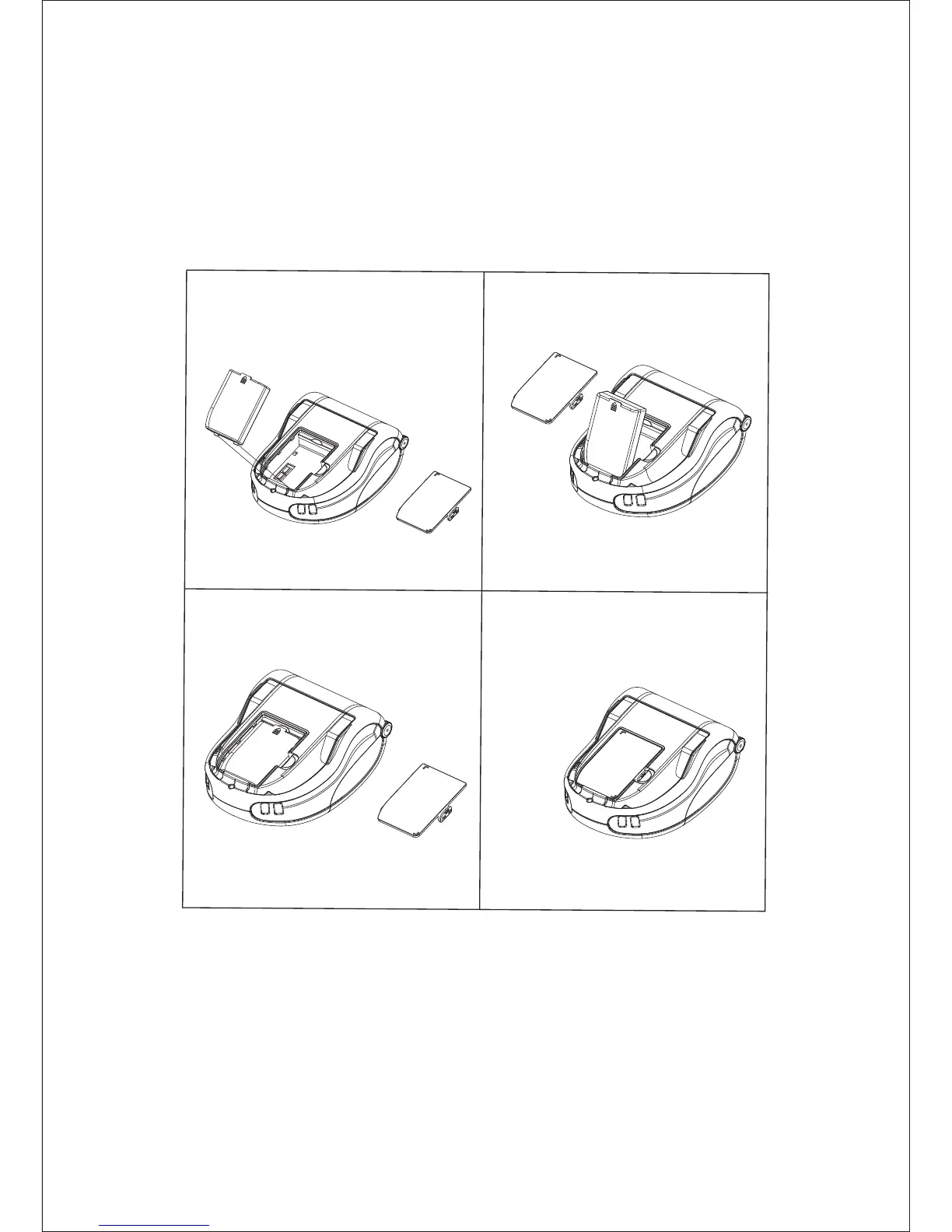
Open the battery compartment cover and put battery inside, re-install battery compartment
sover and lock it securely.
Install the Battery
Open the top cover and insert the roll of media into media compartment, ensure that the
media pulls off, and pull a short length of media out of the printer, close the top cover firmly
and ensure it is securely latched on both sides.Turn on the printer and press the FEED button,
the printer will advance the media until the FEED button is released. Verify the media is
feeding properly and without binding or skewing sideways.
Install the Media
5


 To Next Page