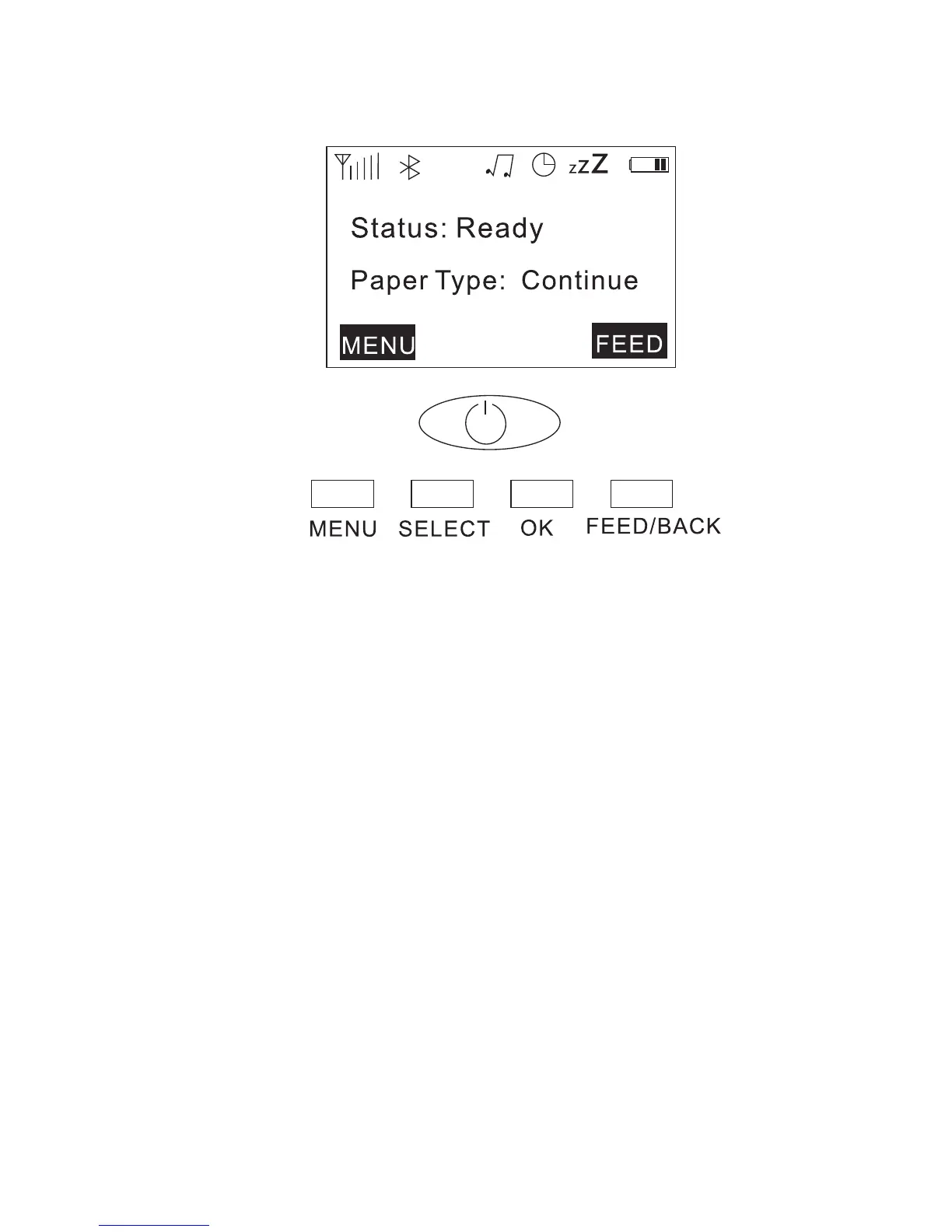
LED Display Function
Button Function
POWER: Press it to turn on when printer is Off; Long
Press it to turn off when printer is On.
7
Menu: Click the entry menu,
OK: Confirmation
SELECT: Menu Selection
Feed/Back: Feed paper and return.
M320 Boot screen
menu
1. setting: speed density
2. communication: bluetooth WIFI USB
3. media: paper quantity
4. display: time setting of Lock Screen and turn off
5. battery: electric quantity
6. information: seft test.version.Factory Default



 To Next Page