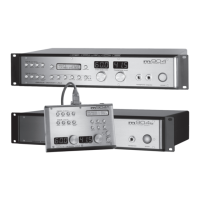
grace design m906
owner’s manual
16
grace design m906
owner’s manual
17
To activate the MON > CUE switch as a control for routing audio to a third set of stereo speakers, do the
following:
Press the CAL switch. The switch LED will begin to ash, letting you know
that CAL mode is now active.
Press the MON > CUE switch. The LCD display will indicate whether you
are in MON > CUE mode or in Speaker #3 mode (screenshots 3 & 4).
Press the MON > CUE switch one more time to activate this special
mode.
Exit CAL mode by pressing the ashing CAL switch.
The MON > CUE switch has now been congured to select a third speaker output set. Note: the physical
stereo outputs used for this are the CUE OUT XLRs on the rear of the m906 mainframe. Cycling between the
rst two speaker outputs is done as you would normally do, via the SPKR SEL switch. When you’re ready to
select the third stereo speaker set for monitoring, simply press the MON > CUE switch. The switch LED will
light solid and you’ll now be monitoring audio sent to a third stereo speaker pair via the CUE OUT’s. To return
to the previous speaker selection (1 or 2), press MON>CUE. To return to the other speaker selection (1 or 2),
press the SPKR SEL button.
To disengage this special monitoring mode and return the MON > CUE switch to its default operating
state, do the following:
Press the CAL switch.
Press the MON > CUE switch.
Press the MON > CUE switch once more
Exit CAL mode by pressing the ashing CAL switch.
Using the MON > CUE Feature
Normally, the CUE INPUT signal is routed to the CUE output. Pressing the MON > CUE switch when
it’s controlling its default operational mode, i.e. has not been congured to operate as a third stereo
speaker output as outlined above, routes the currently selected input source (L+R channels) that you’re
monitoring to the CUE OUTs. This is particularly handy when you’d like to send the stereo source you’re
monitoring in the control room out to the talent in the studio. Pressing the switch for the rst time
activates this mode and illuminates the switch LED. Pressing the switch again deactivates the MON >
CUE feature and the switch LED extinguishes.
Adjusting Main and Headphone Levels
Both the main and headphone level rotary controls use stepped digital encoders that control analog
circuitry in the m906. Both are attenuators, rather than gain controls. Using them is straightforward.
To increase headphone or control room (main) monitoring levels, rotate the encoders in a clockwise
fashion. To decrease levels, rotate the encoders in a counter-clockwise motion. Levels can be altered up
or down in .5dB increments and channel tracking between channels is 0.05dB. In CAL mode (discussed
later), the main level encoder is used to change parameters for the function currently being edited.
The Level Displays
The large blue LED displays located to the left of the headphone and main level encoders show relative
speaker 3 mode, global offset
screenshot 4
cue mode, global level
screenshot 3


 To Next Page