EasyManua.ls Logo

Grace GDI-IR2000 - User Manual

Default Icon
44 pages
Print Icon
To Next Page IconTo Next Page
Loading...
1
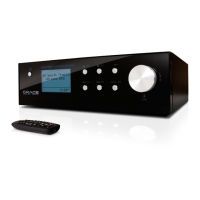
Grace Wireless Internet Radio
Register your radio at iradio.gracedigitalaudio.com for additional features.
GDI-IR2000
USER GUIDE

Table of Contents

Questions and Answers

  • W
    William MurphyJul 30, 2025
    What to do if my Grace Radio won't connect to Wi-Fi?
    • S
      Sabrina CarterJul 30, 2025
      If your Grace Radio is having trouble connecting to the wireless network, first confirm that a Wi-Fi connected PC can access the Internet using the same network. Also, check that a DHCP server is available, or that you have configured a static IP address on the radio. Ensure that your firewall is not blocking any outgoing ports and your access point does not restrict connections to particular MAC addresses. Finally, if you have an encrypted network, check that you have entered the correct key or passphrase into the radio.
  • J
    John BrownAug 12, 2025
    Why is my Grace Radio unable to play particular stations?
    • A
      Antonio BoyerAug 12, 2025
      Your Grace Radio might be unable to play particular stations for several reasons. The station may not be broadcasting at the current time, or it may have reached the maximum allowed number of simultaneous listeners. It's also possible that the station is no longer broadcasting or that the link on the radio station is out of date. A slow Internet connection between the server could also be the cause. In such cases, try using a PC to play back the stream via the broadcaster’s web site.

Summary

Internet Radio Setup Guide

What You Need Before Using Internet Radio

Lists essential requirements for using the internet radio, including broadband connection and Wi-Fi access point.

Radio Controls Overview

Remote Control Functions

Connecting to Wireless Network

Step 1: Power Up the Radio

Instructions for powering on the radio and initial display indications.

Step 2: Scan for Wireless Network

Steps to scan for available wireless networks on the radio.

Connecting to Wireless Network - Security

Step 3: Connect to Wireless Network

Instructions for connecting the radio to a selected wireless network.

Connecting to Wireless Network - Security (Continued)

Entering WEP;WPA Key

Details how to enter WEP or WPA security codes for network connection.

Choosing a Radio Station

Choosing a Radio Station - Pandora

Choosing a Pandora Radio Station

Instructions for selecting and creating Pandora radio stations.

Storing Preset Radio Stations

Playing Preset Radio Stations

On-Demand Radio Content

On-Demand Radio Content Selection

Setting the Clock

Setting the Clock - Time and Zone

Setting Time and Date

Instructions for setting the current time and date.

Setting Time Zone

How to select the correct time zone for accurate time display.

Setting the Alarm

Setting the Alarm - Frequency and Behavior

Configuring Your Content Library

Configuring My Stations

Configuring My Streams

Configuring My Podcasts

Configuring Pandora Playback

Creating and Activating Pandora Account

Steps to create and link a Pandora account for radio use.

Pandora Feedback Menu

Media Player Setup Guide

PC Setup for Media Sharing (Windows)

Instructions for sharing PC folders via Windows Shares on Windows XP.

PC Setup for Media Sharing (OSX)

PC Setup for Apple OSX Shares

Instructions for sharing PC folders via Windows Shares on Apple OSX.

Locating Media Files via UPnP

Playing Single Tracks from Shared Library

Playing Albums from Shared Library

Media Player Playback Control

UPnP Media Server Setup

Windows Media Player Sharing Setup

Granting Radio Access to Media

Locating and Playing Media Files

Radio Settings Menu

Network Configuration Options

Options for scanning and configuring wireless network parameters.

Radio Settings Options

Advanced Radio Settings

Troubleshooting Common Issues

Product Specifications

License and Warranty Information

Appendix: Media Sharing Setup (Continued)

Appendix: Playing Music Wirelessly

Grace GDI-IR2000 Specifications

General IconGeneral
TypeInternet Radio
BluetoothNo
DisplayLCD
Headphone JackYes
Dimensions6.5" W x 4.3" H x 3.5" D
Weight1.3 lbs
BatteryNo
Presets10
Frequency Range87.5-108 MHz

Related product manuals