17
Gram
Commercial
Technical information
765041466
Description :
Operation- and servicemanual
Gram Process KPS
Compiled. Latest revision. Deleted.
Date Name Date Name Rev.no Date Name
30.09.11 JP 000
Printing of data
This function is only possible if the cabinet is equipped with a thermo printer (optional equipment).
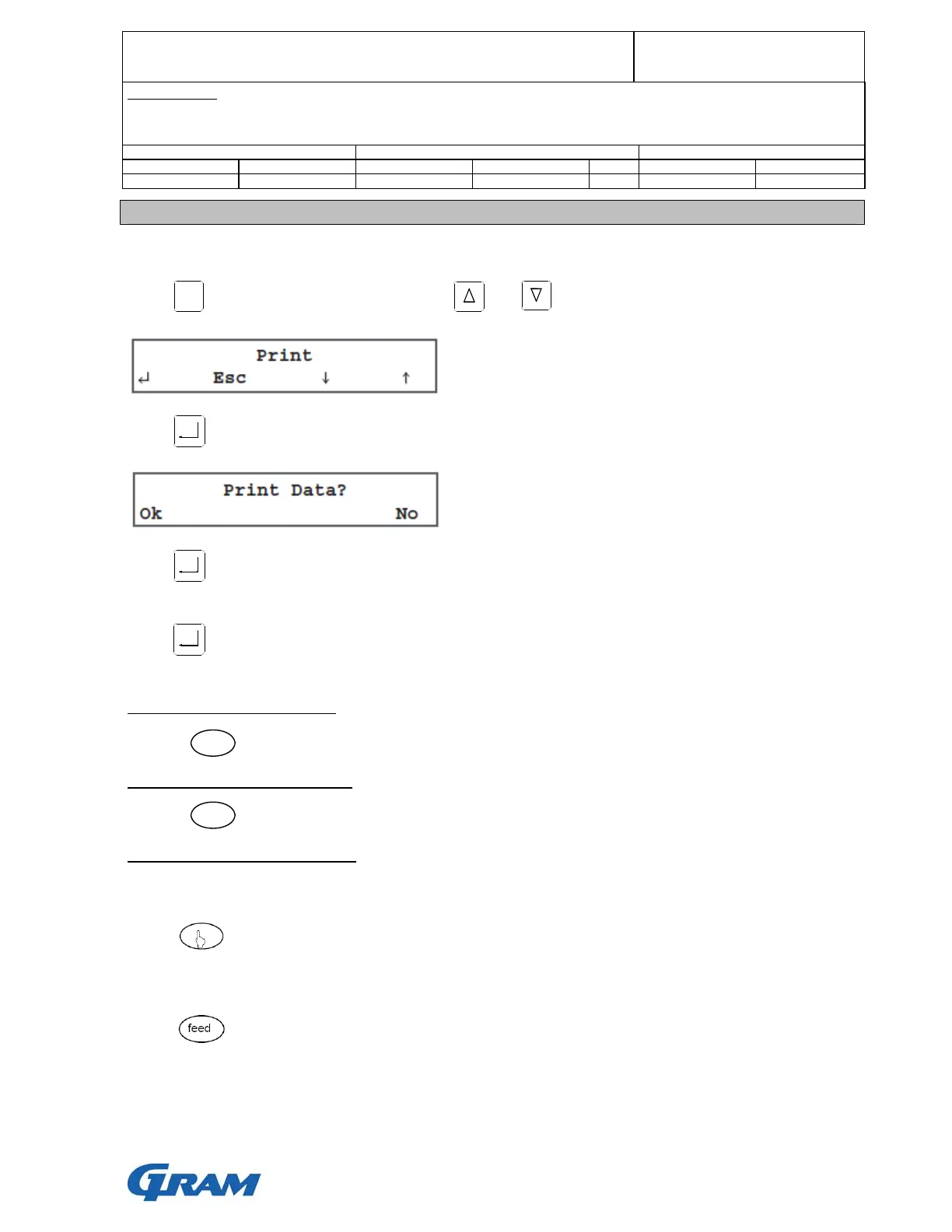
Press to use the thermo printer and use and , until the display shows:
Press and the display shows:
Press to print the memorised data. Subsequently, the data will be printed during the following
cycles.
Press and select “Ok”, and all memorised cycles will be printed..
How to turn the printer on/off:
Press
How to feed the paper by hand:
Press
How to change the roll of paper:
Turn the printer off.
Press for opening the panel at the front of the printer.
Slip the roll of paper into the lower side of the roller.
Press as long as the roller drags the roll of paper.
MENU
on/of
feed


 To Next Page