8
Gram
Commercial
Technical information
765041466
Description :
Operation- and servicemanual
Gram Process KPS
Compiled. Latest revision. Deleted.
Date Name Date Name Rev.no Date Name
30.09.11 JP 000
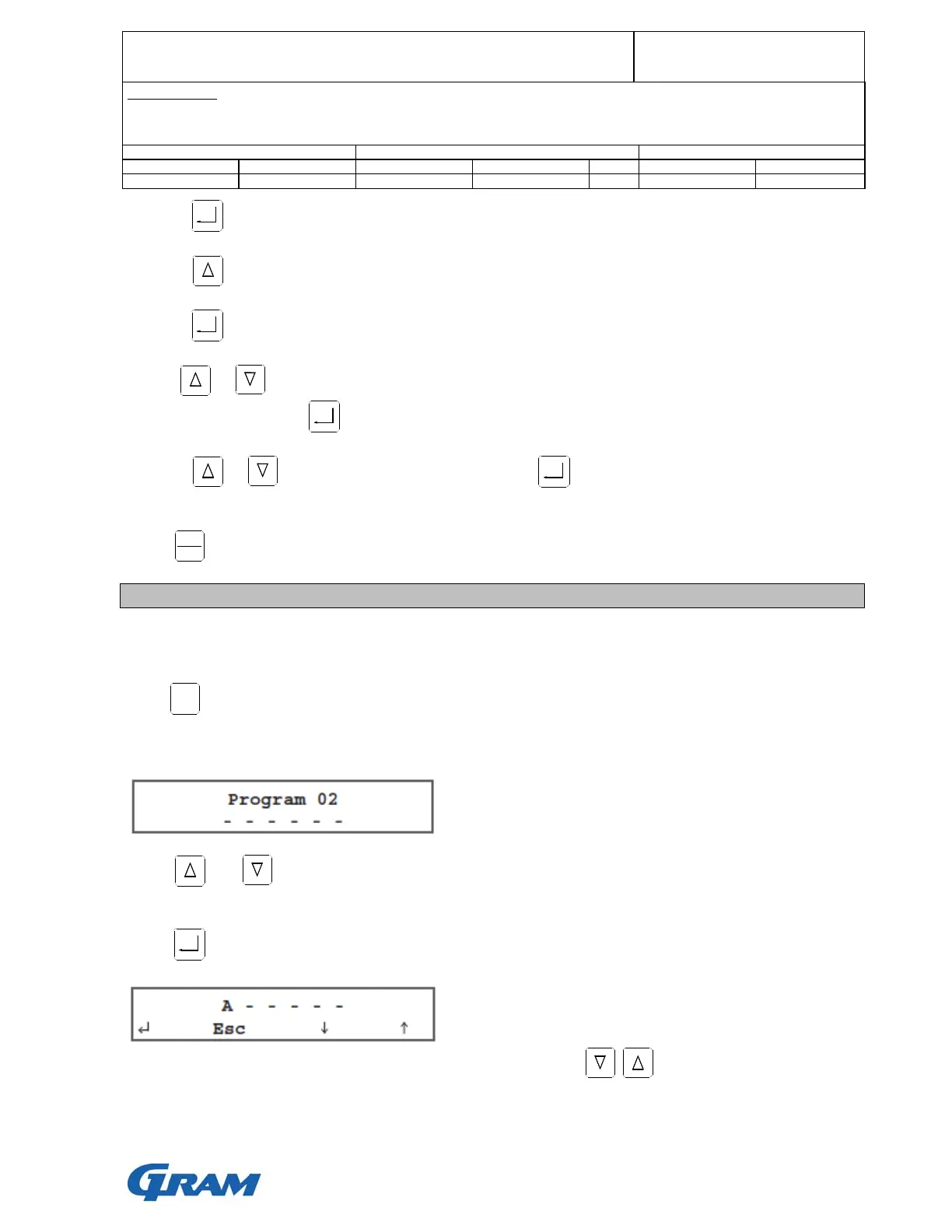
5. Press to confirm your choice.
6. Press to scroll between core and time controlled cycle.
7. Press to confirm your choice.
8. Use or to set time or minimum room temperature.
Confirm your choice with .
9. Press or to set the desired fan speed. Press to confirm your choice.
If you want to save the programme, do this before running the programme, see next section.
Press to start the cycle.
Saving of user programmes
User programmes can be saved.
After programming a user cycle it can be saved. Do as follows:
Keep pressed for 5 seconds and the display will show the first available position.
Available positions are shown with ------ in the display. Example:
Press and to select a desired position.
If the position is not available, programme data is shown in the bottom line of the display.
Press to confirm the chosen position. Leave the menu and the display shows:
Type in the name of the programme, which is to be saved using to scroll through the letters
and numbers.
START
STOP
MENU


 To Next Page