Seat functions and operation
25
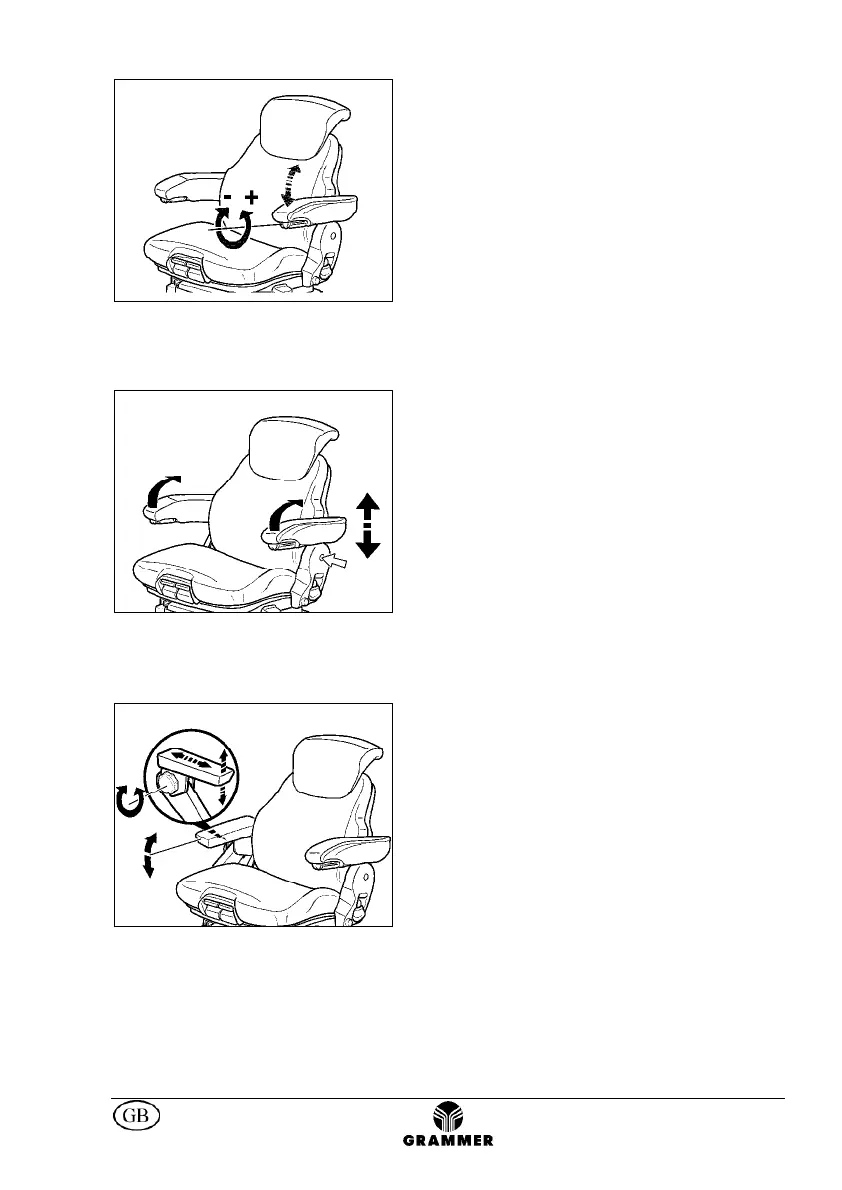
Armrest adjustment *
The inclination of the armrests can be
modified by turning the adjustment knob.
When turning the knob to the outside (+) the
front part of the armrest will be lifted, when
turning the knob to inside (-) it will be lowered.
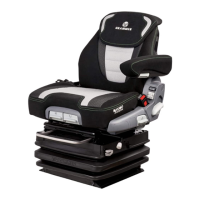
Armrests **
The armrests can be folded up if required and
the height individually adjusted.
To adjust the armrests for height, separate
the round cap (see arrow) from the cover,
loosen the hexagon nut (size 13 mm) behind
it and adjust the armrests to the desired
position (5-steps) and tighten the nut again
(25Nm). Replace the cap onto the nut.
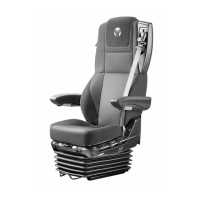
Multifunctional armrest *
After releasing the hand wheel (arrow), the
operator can adjust the armrest vertical and
longitudinal direction; the armrest inclination
can be adjusted as well.
The vertical and longitudinal adjustment are
effected at the same time in perceptible
steps.
After adjustment has been terminated,
tighten the hand-wheel safely.
* if fitted ** depending on model *** optional extra


 To Next Page