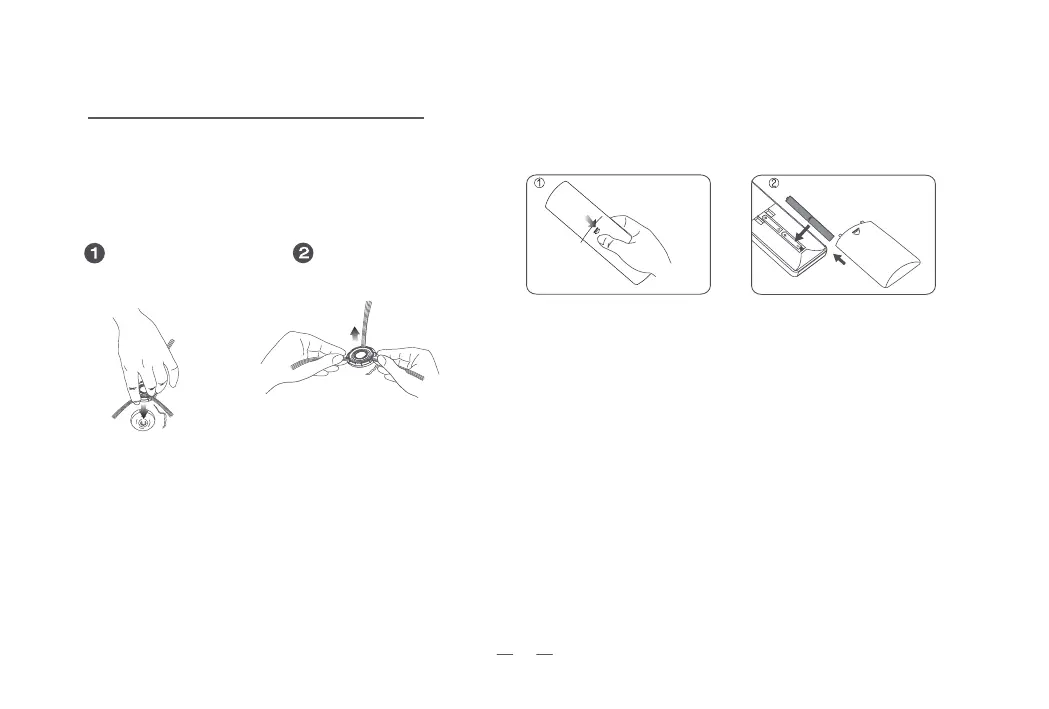
Side Brush Installation and Removal
Installation
Just press it in.
Hold and pull it out.
Removal
Installation and Removal of Remote Controller Battery
01 Press the round button and push to
open the battery lid.
02 Put in the two AAA batteries and make sure that the positive and
negative electrodes are correct. Close the battery lid.
FirstOperation
1. Place the robot upside down on a flat surface.
2. Install the brush with red bracket to the left and the
green to the right.
7


 To Next Page