10
Quick Start
Programming a Crease Job
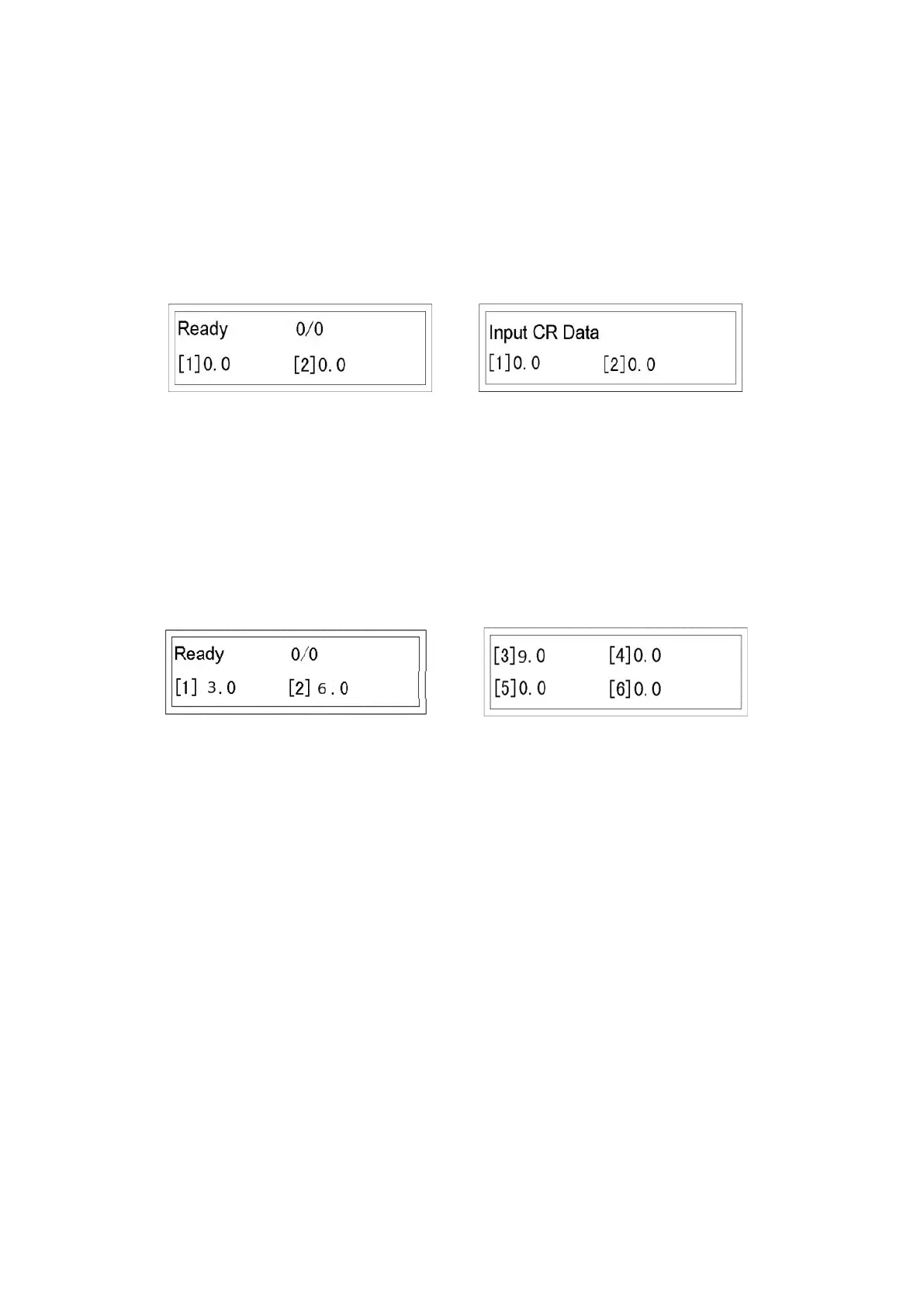
Turn on machine. Screen 1 will appear after the welcome page.
Screen 1 Screen2
Press M button once, the screen will change to Screen 2 and line [1] will flash.
Enter line [1] value, 3 (3.0). Press Enter, line [2] will flash.
Enter line [2] value, 6 (6.0). Press Enter, screen change to Screen 3, line [3] will
flash.
Screen 3 Screen 4
Enter line [3] value 9 (9.0). Press Enter, line [4] will flash.
Press Enter when line [4] is 0, screen will change to Screen 4
Press RUN to feed a sheet. Paper is creased at 3”, 6”, 9” (crease line distance
from the leading edge).
Press STOP if you want to stop the job.


 To Next Page