EasyManua.ls Logo

Grasslin Talento 372 plus - Programming Functions; Creating a New Program

Grasslin Talento 372 plus
Print Icon
To Next Page IconTo Next Page
To Previous Page IconTo Previous Page
Loading...
13
GB
Prog.
HOURS
00
CHL ON
ESC OK
OK
SELECT
DAY
CHL ON
ESC OK
MINUTES
15:00
CHL ON
ESC OK
MINUTES
18:00
CHL OFF
ESC OK
OK
HOURS
00
CHL OFF
ESC OK
SAVED
P01 P02
OK
FREE 50
OK
REVIEW
NEW
DELETE
ESC OK
OK
CHANNEL
SELECT
I
ESC
OK
CHANNEL
SELECT
I
ESC OK
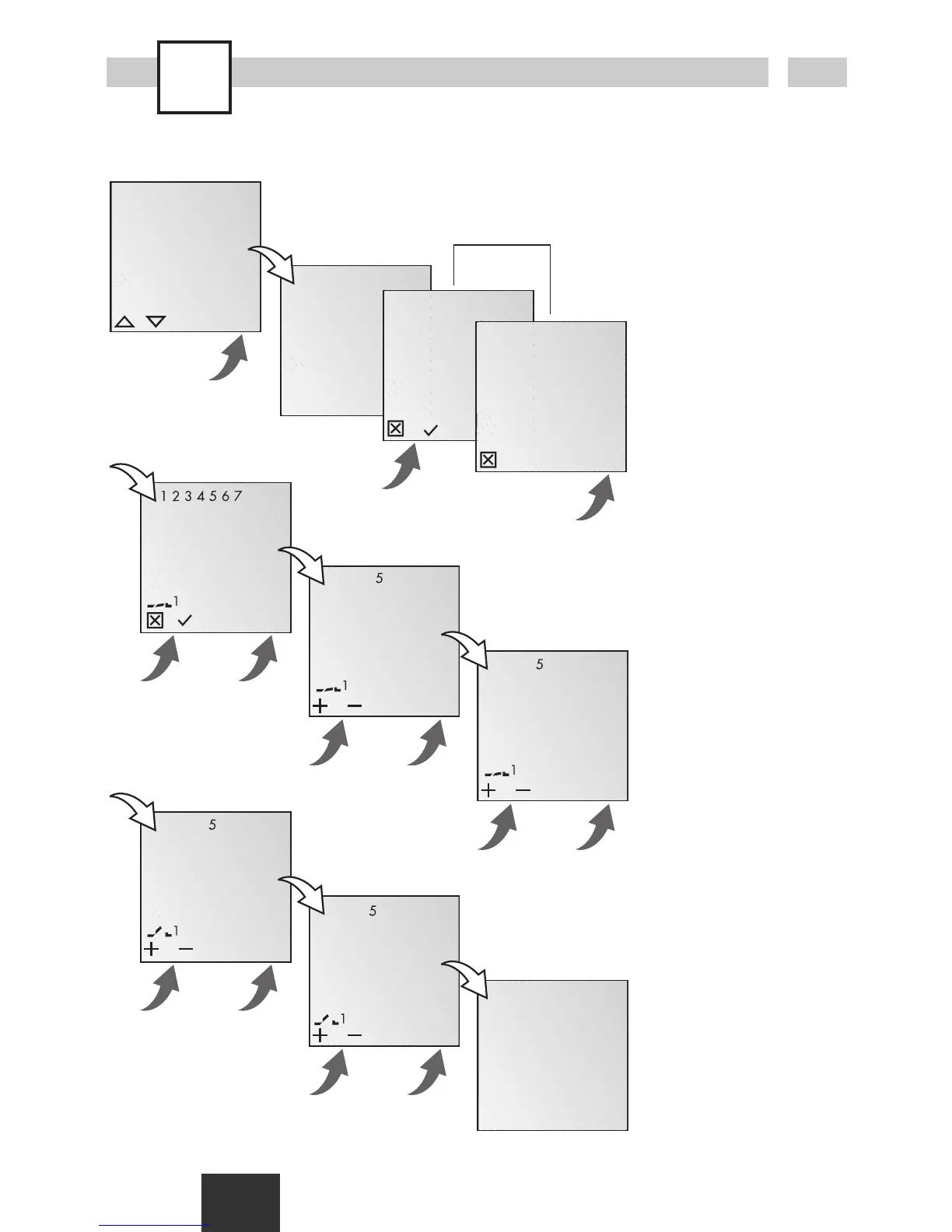
New program
Info
The time switch has 50
memory spaces.
Example
ON command for channel
1 at 3 pm. OFF command
at 6 pm.
· Select NEW program
and confirm with OK.
· The free memory spaces
are briefly displayed.
· Select channel and
confirm with OK.
· Select day block or
individual day (block
formation as desired)
and confirm with OK.
· Enter hour for ON
command (+/-) and
confirm with OK.
· Enter minute for ON
command (+/-) and
confirm with OK.
· Enter hour for OFF
command (+/-) and
confirm with OK.
· Enter minute for OFF
command (+/-) and
confirm with OK.
·Program is saved.
·Program jumps to
selection REVIEW, NEW,
DELETE. Now additional
programs can be
created.
only with 2-channel version

Related product manuals