EasyManua.ls Logo

Grasslin Talento 471 plus - ON;OFF Programming; Creating ON;OFF Programs

Grasslin Talento 471 plus
Print Icon
To Next Page IconTo Next Page
To Previous Page IconTo Previous Page
Loading...
Prog.
24
Example
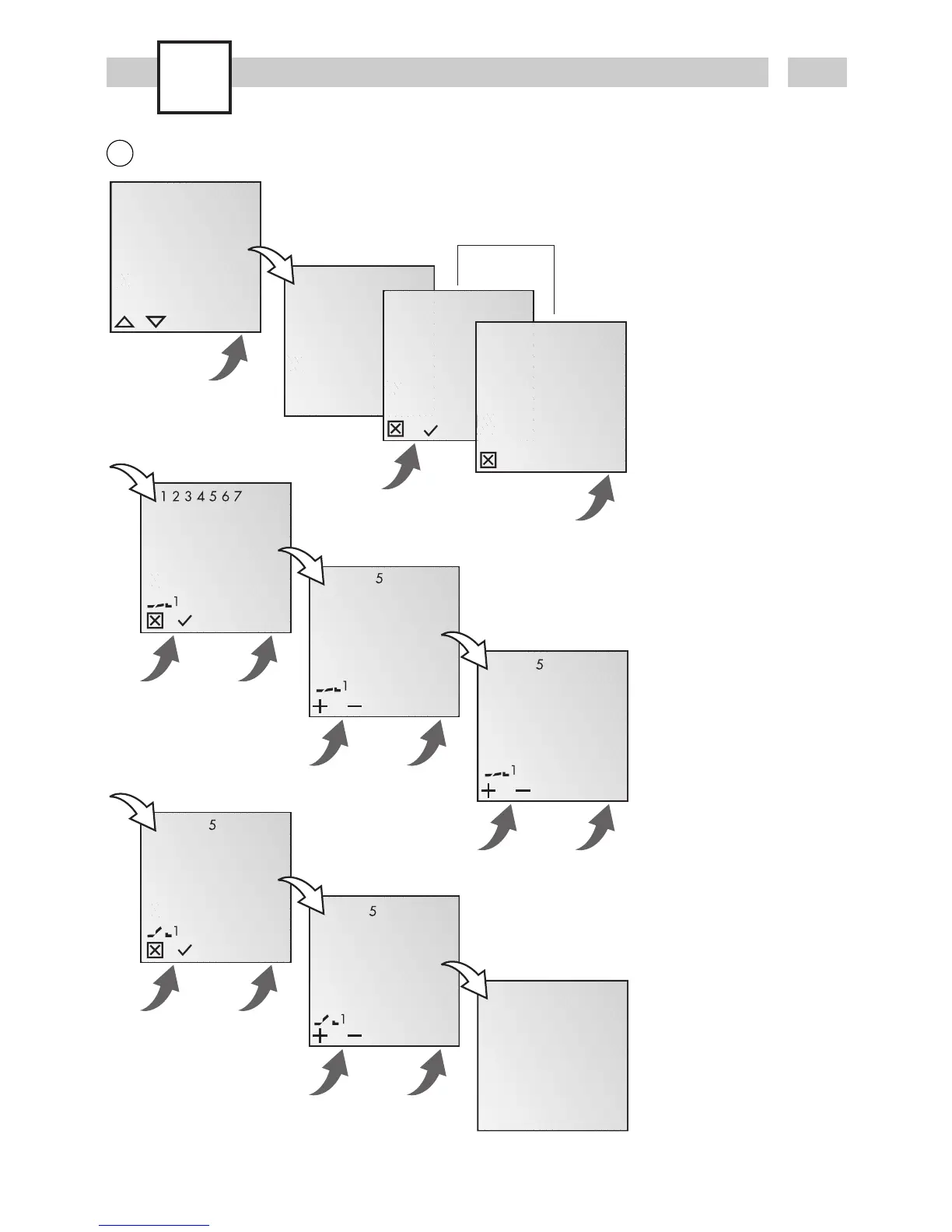
ON command for channel
1 at 3 pm. OFF command
at 6 pm.
· Select NEW program
and confirm with OK.
· The free memory spaces
are briefly displayed.
· Select channel and
confirm with OK.
· Select day block or
individual day (block
formation as desired)
and confirm with OK.
· Enter hour for ON
command (+/-) and
confirm with OK.
· Enter minute for ON
command (+/-) and
confirm with OK.
· Enter hour for OFF
command (+/-) and
confirm with OK.
· Enter minute for OFF
command (+/-) and
confirm with OK.
·Program is saved.
·Program jumps to
selection REVIEW, NEW,
DELETE. Now additional
programs can be
created.
OK
FREE 50
OK
CYCLE
ON/OFF
PULSE
ESC OK
OK
SELECT
CHANNEL
I
ESC
OK
SELECT
CHANNEL
I
ESC OK
HOURS
00
CHL ON
ESC OK
OK
SELECT
DAY
CHL ON
ESC OK
MINUTES
15:00
CHL ON
ESC OK
MINUTES
18:00
CHL OFF
ESC OK
OK
HOURS
00
CHL OFF
ESC OK
SAVED
P01 P02
ON/OFF programming
A
only with 2-channel version

Related product manuals