Chapter Topics
Book Topics
GrIP User’s Guide
Chapter 5 – GrIP Software
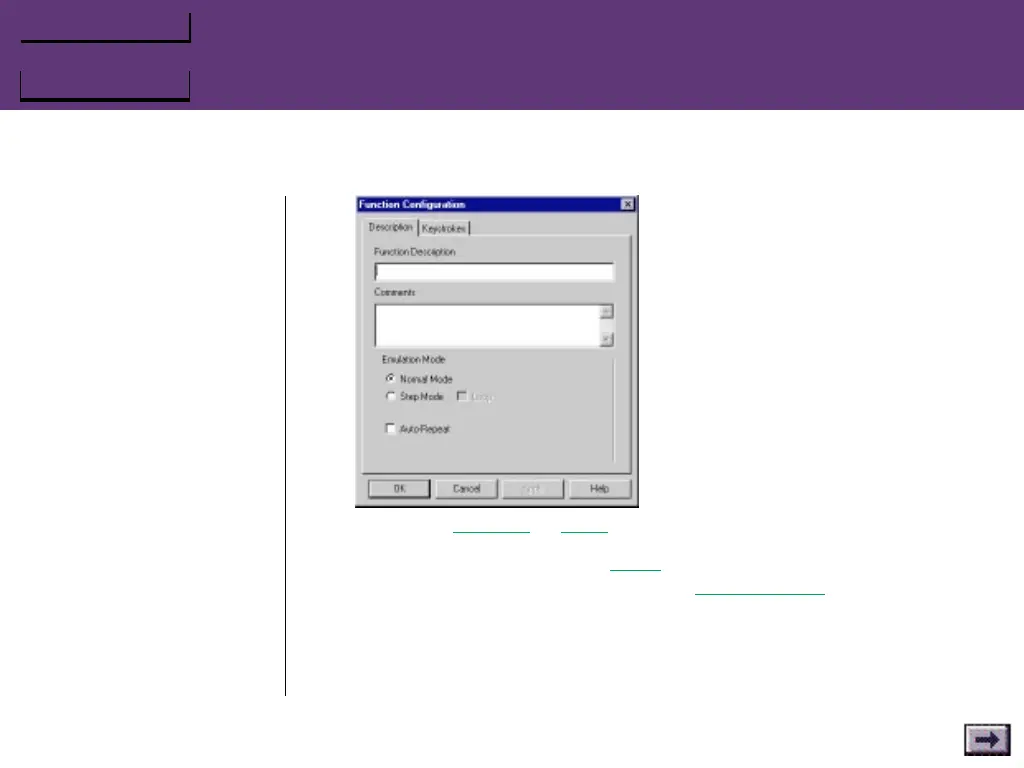
c. Choose Normal or Step mode.
If you selected Step, select Loop if you wish the keystroke string to
repeat. (See example at left.) Select Auto Repeat if you wish a
Normal keystroke string to repeat (for a turbo-fire effect).
d. Select the Keystroke tab.
For a Normal mode entry, enter a key or series of keys in the Press
String field. If you wish, you can enter a second key or series of
...GrIPKey Keyboard Emulation Software, Cont’d.
Examples
If you assign the keys A, B, and
C to a Step mode button, here
is what will happen when you
play the game:
Step Mode with Loop:
Button press Key
1A
2B
3C
4A
5 B...
and so on
Step Mode
without Loop:
Button press Key
1A
2B
3C
4C
5 C...
and so on



 To Next Page