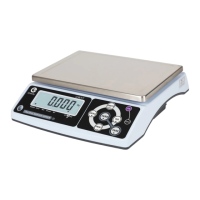
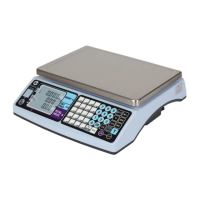
CCT10/CCT20 USER MANUAL
15
LF 2 Spec Calibration :
Step 1: Press 【M+】to start (Press 【CE】to exit menu and back to
weighing mode).
Enter the maximum capacity. Use the UNITS key to select calibration
weighing unit. Available units are kg, g,and lb. Use ZERO TARE and
0~9 keys to enter the maximum capacity of the scale
Step 2: Enter the position of the decimal point. The position of the
decimal point can be from 0 to 4
Step 3: Enter division 1,2 or 5
Use 【Z】or【T】and【M+】keys to select other calibrations (Press
the 【CE】 key to exit menu and the scale will restart automatically)
Ca
li
br
a
t
io
n
p
r
o
c
ed
u
r
e
c
o
m
pl
e
t
e
s
an
d
t
h
e
s
ca
le
ret
u
r
ns
t
o
w
e
ig
h
i
n
g
m
o
de
au
t
o
ma
t
i
ca
lly
LF3 Linearity Calibration
LF7 G Value
Sender G value: Set it before Weight Calibration
Recipient G value: Set it after Weight Calibration
The G value will be denied when the value is greater than 9.83217 (Polar G value) or less than
9.78031 (Equator G value)
Factory default: 9.79423
Weight window displays recipient’s location G value, and piece weight
window displays sender’s location G value
Use【Z】or【T】and 0~9 keys to enter G value. Press the 【M+】
key to finish
(Press【CE】 to terminate the calibration back to LF 7)
Use 【Z】or【T】and【M+】to select other calibrations (Press
【CE】to exit menu and the scale will restart automatically)
To maintain NTEP certification, the unit must not be opened. Weights and Measures stickers are
used to seal the unit and prevent it from being opened.Whoever installs this scale is responsible for
placing stickers on the unit.
9 . 7 9 4 2 3
9 . 7 9 4 2 3
101140


 To Next Page