EasyManua.ls Logo

Gravity Measurement CPT20 - User Manual

Gravity Measurement CPT20
15 pages
Print Icon
To Next Page IconTo Next Page
Loading...
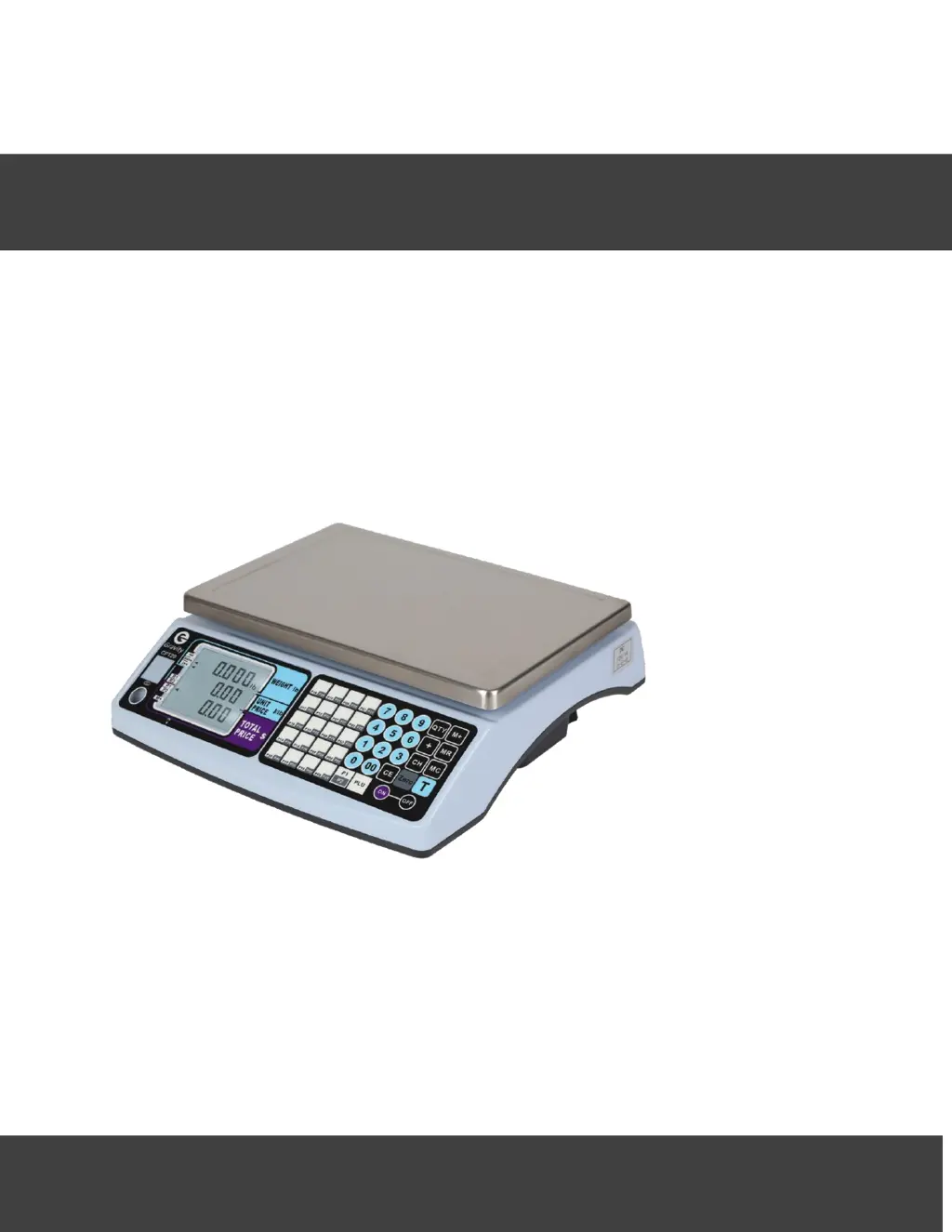
PRICE COMPUTING SCALE user manual
Please read this manual carefully before operation
----General Precautions
----Operating condition and other attentions
----Warranty
GRAVITY MEASUREMENT, INC.
Model: CPT20

Questions and Answers

  • B
    Brent McdonaldAug 14, 2025
    What to do if my Gravity Measurement CPT20 show an overload?
    • J
      Jeanne CummingsAug 14, 2025
      If the Gravity Measurement Scales display an overload message, it means the weight on the pan exceeds the maximum capacity. To resolve this, simply reduce the weight on the pan.
  • B
    Bridget CookAug 18, 2025
    Why are my Gravity Measurement CPT20 showing the initial zero too high?
    • J
      Jennifer PetersAug 18, 2025
      If the Gravity Measurement Scales show that the initial zero is too high, it means that the scale was turned on with weight exceeding 10% of its maximum capacity already on the pan. To fix this, turn off the scale, remove the excess weight, and then turn it back on.
  • K
    Kristie CollierAug 21, 2025
    Why do my Gravity Measurement CPT20 Scales say 'Weight unstable'?
    • B
      Brian EverettAug 21, 2025
      The 'Weight unstable' error on your Gravity Measurement Scales indicates vibration or a varying load on the pan during switch-on. Make sure the scale is on a stable surface and there is no load on the pan when you turn it on.
  • A
    Aaron WestAug 25, 2025
    How to fix low battery voltage on Gravity Measurement CPT20?
    • E
      Edward HallAug 25, 2025
      If your Gravity Measurement Scales display a low battery voltage (lower than 5.6 V), the battery needs charging. Connect the scale to the main adapter. You can check the battery voltage by pressing the '? T ?' and '? 6 ?' keys together, then press '?CE?' to return to weighing mode.
  • L
    lindsey53Aug 27, 2025
    What to do if Gravity Measurement Scales show battery voltage lower than 5.5 V?
    • B
      Brian McbrideAug 28, 2025
      If your Gravity Measurement Scales display a low battery voltage (lower than 5.5 V), the battery requires charging. Connect the AC adapter to charge it.
  • D
    davidparkAug 31, 2025
    What should I do if my Gravity Measurement CPT20 show battery voltage lower than 5.4 V?
    • R
      Ryan DuarteAug 31, 2025
      If your Gravity Measurement Scales display a low battery voltage (lower than 5.4 V), the battery requires charging. Connect the AC adapter to charge it.
  • E
    Elizabeth LeeSep 3, 2025
    Why are my Gravity Measurement Scales showing the initial zero too low?
    • D
      Dr. Jon MaldonadoSep 3, 2025
      If your Gravity Measurement Scales show that the initial zero is too low, it means the scale was turned on with an upward force exceeding 10% of its maximum capacity acting on the pan. To resolve this, turn off the scale and remove any upward force before turning it back on.
  • K
    Kelli HunterSep 6, 2025
    What to do if Gravity Measurement CPT20 Scales say the weight is too low?
    • R
      randalljuanSep 7, 2025
      If the Gravity Measurement Scales display that the weight is too low, it indicates that the weight is too low at the negative. To solve this, increase the weight on the pan.
  • T
    Tiffany GonzalezSep 10, 2025
    What to do if Gravity Measurement Scales show that price is out of range?
    • R
      Robert Espinoza MDSep 12, 2025
      If the Gravity Measurement Scales display that the price is out of range, it means the total price exceeds 999999. To fix this, adjust the total price.

Summary

Important Safety Information

Warranty

Scale Setup and Display

What is inside Box

List of items included with the CPT20 scale.

Set up the Scale

Instructions for placing and leveling the scale.

DISPLAYS DESCRIPTION

Explanation of the scale's display indicators and fields.

KEYBOARD DESCRIPTION

BASIC FUNCTIONS AND OPERATION

Tare function

Deduct the weight of a container to weigh net weight.

Accumulation

Accumulate weight, unit price, and total price up to 20 records.

Add Up Function

Add up total price using unit price and quantity.

Payment charge

Calculate customer change by entering payment amount.

Price Look Up (PLU)

Save or retrieve unit prices using PLU memory.

Calibration and Functions Setup

Spec and Weight Calibrations

Configure scale settings and perform weight calibration.

Standard Functions Setup

Access settings for backlight, RS232 communication, and baud rate.

Spec calibration detail description

Details on scale capacity, division, and resolution.

Unit Price Decimal Point

Settings for unit price and total price decimal points.

G Value Calibration

Configuration for G value availability in standard calibration.

P1;P2 key setup

Configuration for PLU group P1/P2 key behavior.

Weight Calibration

Procedure to calibrate the scale's weight measurement.

G Value Calibration and how to view G value

Steps to perform G value calibration and view G values.

Function Setup (UF1, UF2, UF3)

Configure backlight, RS232 communication, and baud rate.

Keyboard testing

Test scale keypad functionality and display information.

Display battery voltage and internal values

View battery status and internal scale readings.

Error Messages and Troubleshooting

Gravity Measurement CPT20 Specifications

General IconGeneral
BrandGravity Measurement
ModelCPT20
CategoryScales
LanguageEnglish

Related product manuals