9
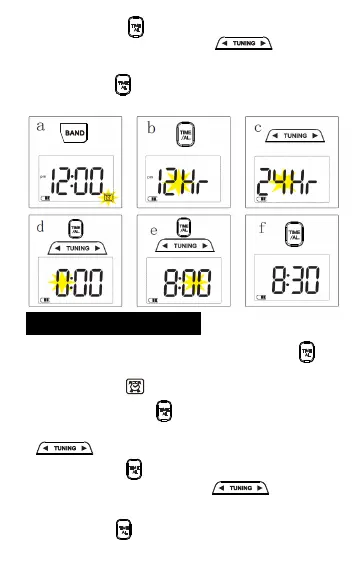
4. Press the “ ” button to flash the time in
minute, and then press the “ ” button to
adjust the time in minute.
Alarm clock setting
1. In the time display, short press the “ ”
button to enable the alarm clock, with the alarm
clock symbol “ ” displayed on the screen.
2. Long press the “ ” button for 2 seconds to
flash the time in hour, and then press the
“ ” button to adjust the time in hour.
3.
Press the “ ” button to flash the time in
minute, and then press the “ ” button to
adjust the time in minute.
4. Press the “ ” button to confirm and save the
time setting.
TIME
AL
TIME
AL
TIME
AL
TIME
AL
TIME
AL
TIME
AL
long press
5. Press the “ ” button to confirm and save the
time setting.



 To Next Page