10
Turn on/off Radio
Radio operation
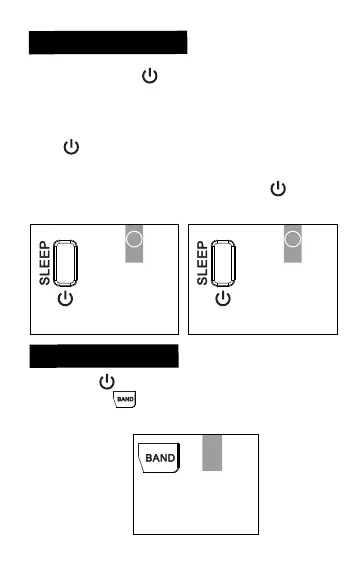
•Short press the “ ” button to turn on the radio
and will display the band frequency before the
last turn off.
•When you have finished the listening, press once
the “ ” button and the LCD screen displays
the current time.
Note: In radio state, long press the “ ” button
for 2 seconds to enter the sleep mode.
1
Short press
Short press
(Turn on) (Turn off)
2
Press the “ ” button to turn on the radio, select
FM/AM with “ ” button. Extend the antenna to
get better signal reception, especially listening to
the FM radio.
Radio-on state
FM/AM


 To Next Page