13
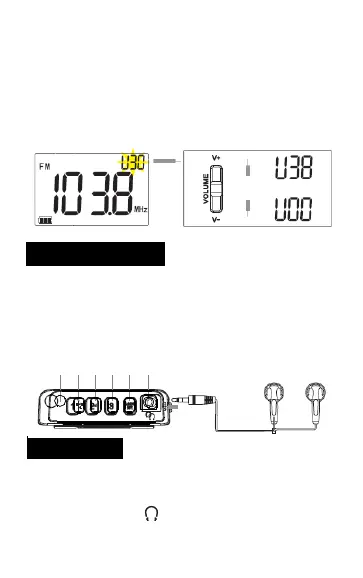
Adjust the volume
Press the “V+” button to increase the volume
while press the “V-” button to decrease in the
radio-on state. The display shows the current
volume level. Range of volume levels: “V00-V38”
Earphone Jack
FM stereo
This radio is designed with an "EARPHONE"
port. To avoid affecting others, just insert the
earphone to its jack.
Note: In the weather alert mode, please
unplug the earphones for receiving the
weather alert information.
1. When listening to the AM/FM radio program,
plugging in the stereo earphone into the
earphone jack ( ), you may listen with the
left
and right channels.
M
M
TIME
AL
+
-


 To Next Page