12
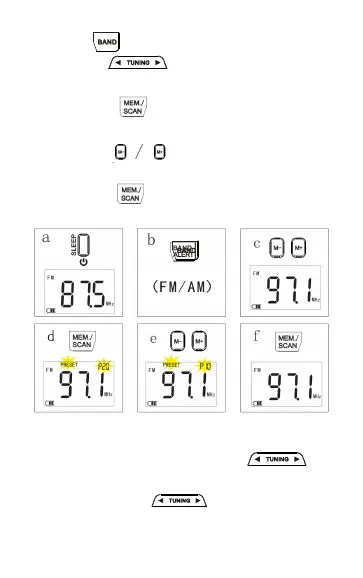
f. Press the “ ” button to confirm and save
the settings.
c. Press the “ ” button to tune to a favorite
station frequency.
d. Press the “ ” button to flash the storage
space address (P--) and the character (PRESET)
e. Press the “ ” arrow button to select the
location of the memory space you desire.
Manually search stations
a.In radio state, short press the “ ” to
search station one by one.
b. Long press the “ ” button for 2s, it will
search station automatically until find a station
which had good signal.


 To Next Page