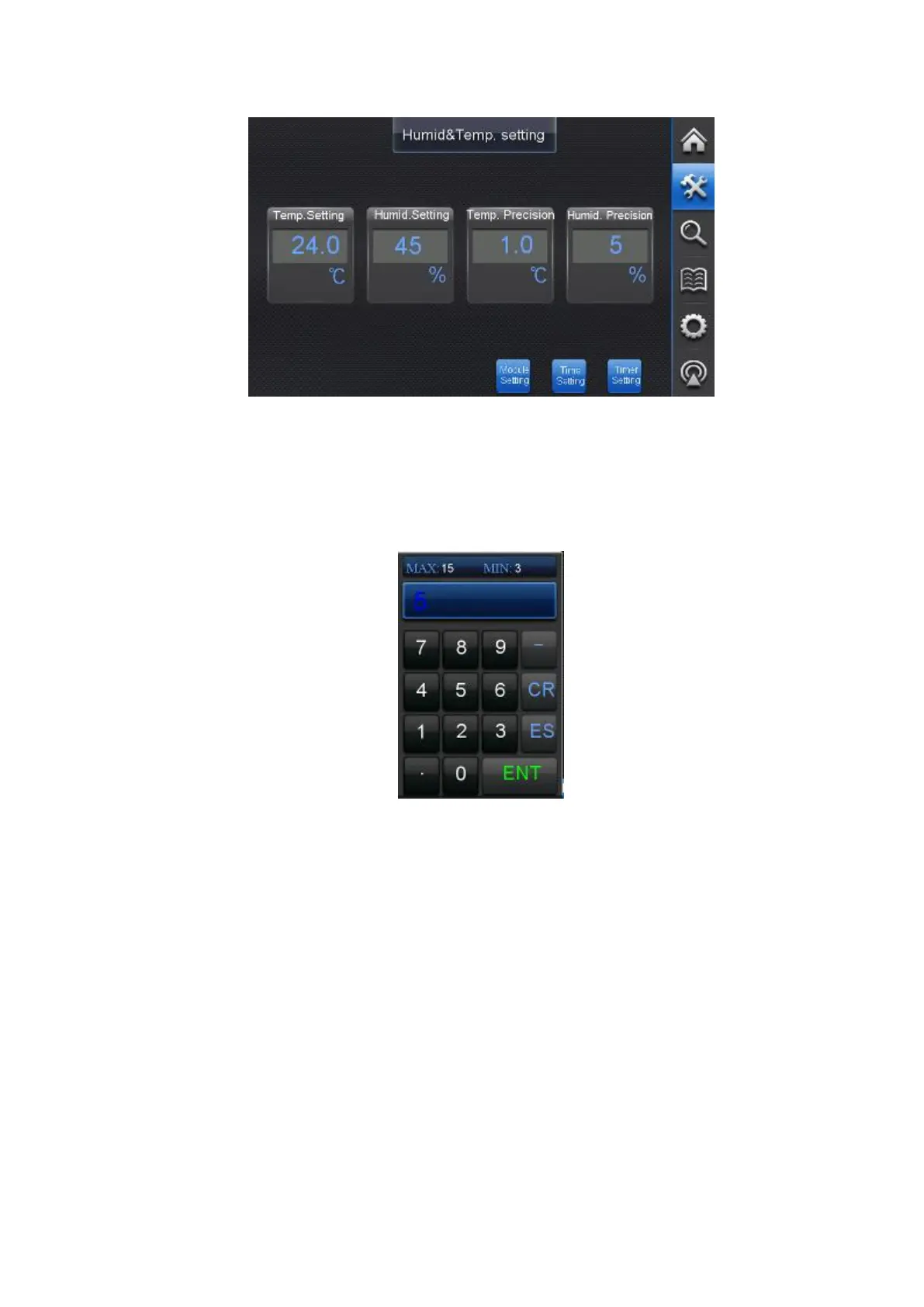
“Module Mode Setting”、“Time Setting”、“Timer Setting.”:Slightly press these buttons to
enter the corresponding setting page.
“Numeric Value Input”: The numeric value with box represents what can be revised. By
touching the number in the box, the keyboard interface is popped up and the number in the
touched box displays the blinking cursor which means the number in the input state.
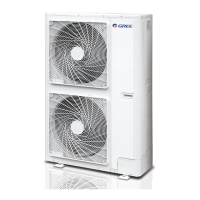
Touch the number in the keyboard. Input the revised number, and finally touch the “ENT”
button in the keyboard to confirm the input. The keyboard will disappear subsequently, which
means the finishing of the input.
Introduction to the buttons on keyboard:
“Number Key”: Number 0~9.
“.”: Decimal point, which for its input.
“ES”: By touching to cancel the input and the keyboard will disappear.
“CR”: By touching to erase the number inputted previously to input afresh.
“ENT”: By touching to confirm the input and the keyboard will disappear which means
finishing of the input.
There are “max” value and “min” value on the top of the keyboard that are corresponding to
the input range in the numeric box. If the numeric value exceeded the range is inputted, this
input is invalid.
ТОО "Everest climate", Р. К., г.Алматы | Телефон: +7 727 230 00 10, +7 777 250 10 90 | www.aircon.kz, e-mail: info@aircon.kz



 To Next Page