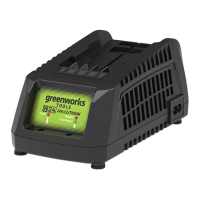
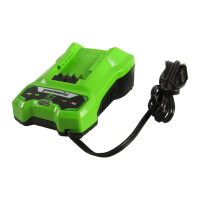
This document is a user manual for Greenworks battery chargers, specifically models CAM801, CAM803, CAM812, and CAM813, designed for use with Greenworks 48V (24V x 2) Dual Volt lithium-ion battery packs. The manual provides essential information on safety, operation, maintenance, and technical specifications for both the chargers and compatible battery packs.
Function Description:
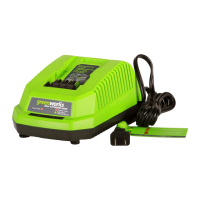
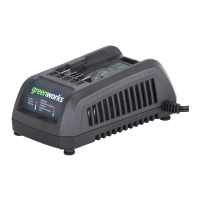
The Greenworks chargers are designed to safely and efficiently recharge Greenworks 48V (24V x 2) Dual Volt lithium-ion battery packs, which power various Greenworks 48V tools. The chargers feature LED indicators to display the charging status, including charging in progress, fully charged, battery too warm, and defective battery. They are equipped with safety mechanisms to prevent overcharging and ensure optimal battery life. The chargers are intended for indoor use only and should not be exposed to damp or wet conditions.
Important Technical Specifications:
Chargers:
- CAM803:
- Output: 24V DC 0.5A
- Input: 120V AC 50/60Hz, 2.5A Max
- Output: 24V DC 4A
- CAM801:
- Output: 24V DC 0.5A
- Input: 120V AC 50/60Hz, 2A Max
- Output: 24V DC 2A
- CAM812:
- Output: 24V DC 0.5A
- Input: 120V AC 50/60Hz, 1A Max
- Output: 24V DC 2A
- CAM813:
- Output: 24V DC 0.5A
- Input: 120V AC 50/60Hz, 2A Max
- Output: 24V DC 4A
- CAM811: This model is a diagnostic charger with LED light indicators for charging status.
- Power Input: 100-230V AC 50/60Hz, 0.5A Max (for CAM811)
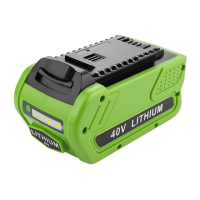
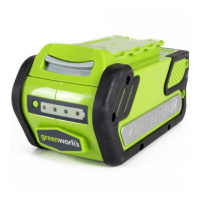
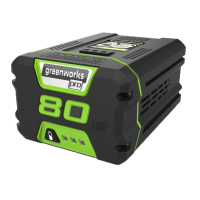
Battery Packs:
- BAM709:
- Battery: 21.6V⎓ 2.0AH, 43.2Wh 24V MAX
- Cell number: 6
- BAM704:
- Battery: 21.6V⎓ 8.0AH, 172.8Wh 24V MAX
- Battery: 43.2V⎓ 4.0AH, 172.8Wh 48V MAX
- Cell number: 24
- BAM708 (48B4AH):
- Battery: 21.6V⎓ 8.0AH, 172.8Wh 24V MAX
- Battery: 43.2V⎓ 4.0AH, 172.8Wh 48V MAX
- Cell number: 12
- BAM706:
- Battery: 21.6V⎓ 4.0AH, 86.4Wh 24V MAX
- Battery: 43.2V⎓ 2.0AH, 86.4Wh 48V MAX
- Cell number: 12
- 48B25A:
- Battery: 21.6V⎓ 5.0AH, 108Wh 24V MAX
- Battery: 43.2V⎓ 2.5AH, 108Wh 48V MAX
- Cell number: 12
- 48B3AH:
- Battery: 21.6V⎓ 6.0AH, 129.6Wh 24V MAX
- Battery: 43.2V⎓ 3.0AH, 129.6Wh 48V MAX
- Cell number: 12
Usage Features:
- Charging Procedure:
- Connect the charger plug to an AC power outlet.
- Insert the battery pack into the charger.
- The charger LED will indicate the charging status:
- GREEN BLINKING: Battery is charging.
- GREEN: Fully charged.
- RED: Battery is too warm (remove for approx. 30 minutes to allow to cool).
- RED BLINKING: Defective battery (remove and replace with a new battery).
- Mounting the Charger: Chargers CAM803 and CAM801 can be mounted on a wall using two wood studs. CAM812 and CAM813 require drilling two parallel holes 5" (127 mm) on center for CAM812 and 8.4" (212 mm) on center for CAM813, then using wall anchors and screws.
- Safety Precautions:
- Always read and understand the entire manual before use.
- Do not charge batteries in damp or wet conditions.
- Do not insert foreign objects into the charger or battery pack.
- Use only Greenworks 48V (24V x 2) Dual Volt lithium-ion battery packs with these chargers.
- Do not probe the charger with conductive materials.
- Always unplug the charger when not in use or before cleaning.
- Ensure proper ventilation around the charger during operation.
- Do not attempt to recharge non-rechargeable batteries.
- If the power cord is damaged, it must be replaced by the manufacturer or its service agent.
- This product contains chemicals known to the State of California to cause cancer, birth defects, or other reproductive harm (Proposition 65 warning).
- Troubleshooting:
- Charger doesn't work (LED shows defective mode, or flashes Red): Battery pack or charger is defective. Try a different battery pack. Unplug the charger and wait until the LED goes out, then reconnect. Allow the battery pack to reach normal temperature. Charging will begin when the battery pack returns to 5°C-47°C (37°F-117°F).
- Charger doesn't work (LED shows operation mode (LED) indicates Red solid ON): Battery pack is either too hot or too cold.
Maintenance Features:
- Cleaning:
- Keep the air vent free of blockage, saw dust, and wood dust.
- Do not spray wash, or put the air flow in water.
- Clear unwanted material out of the air vent with a vacuum.
- Clean housing and plastic components with a dry and soft cloth.
- Do not use strong solvents or detergents.
- Storage: Remove the battery pack from the charger and disconnect the charger before storing.
- Battery Pack Maintenance: Always remove the battery pack before cleaning, inspecting, or performing any maintenance on the tool.
- Cord Replacement: If the supply cord is damaged, it must be replaced by a special cord set available from the manufacturer or its service agent.
Limited Warranty:
Greenworks warrants this product to the original purchaser for a period of three (3) years against defects in materials, parts, or workmanship. The warranty covers defects in materials and workmanship, but not normal wear, damage resulting from improper maintenance or alteration, or damage from misuse. The warranty is valid only for units that have been used for personal use and maintained in accordance with the instructions in the owner's manual.

 Need help?
 General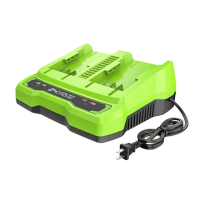


 To Next Page