DG Spin
Description of the Centrifuge
4-4
4.1.3 Centrifuge cover
The
DG Spin
centrifuge has a safety transparent cover (Ref. (3), Figure 1) with a
hinge and an electromagnetic safety closure.
4.1.4 Control buttons
The
DG Spin
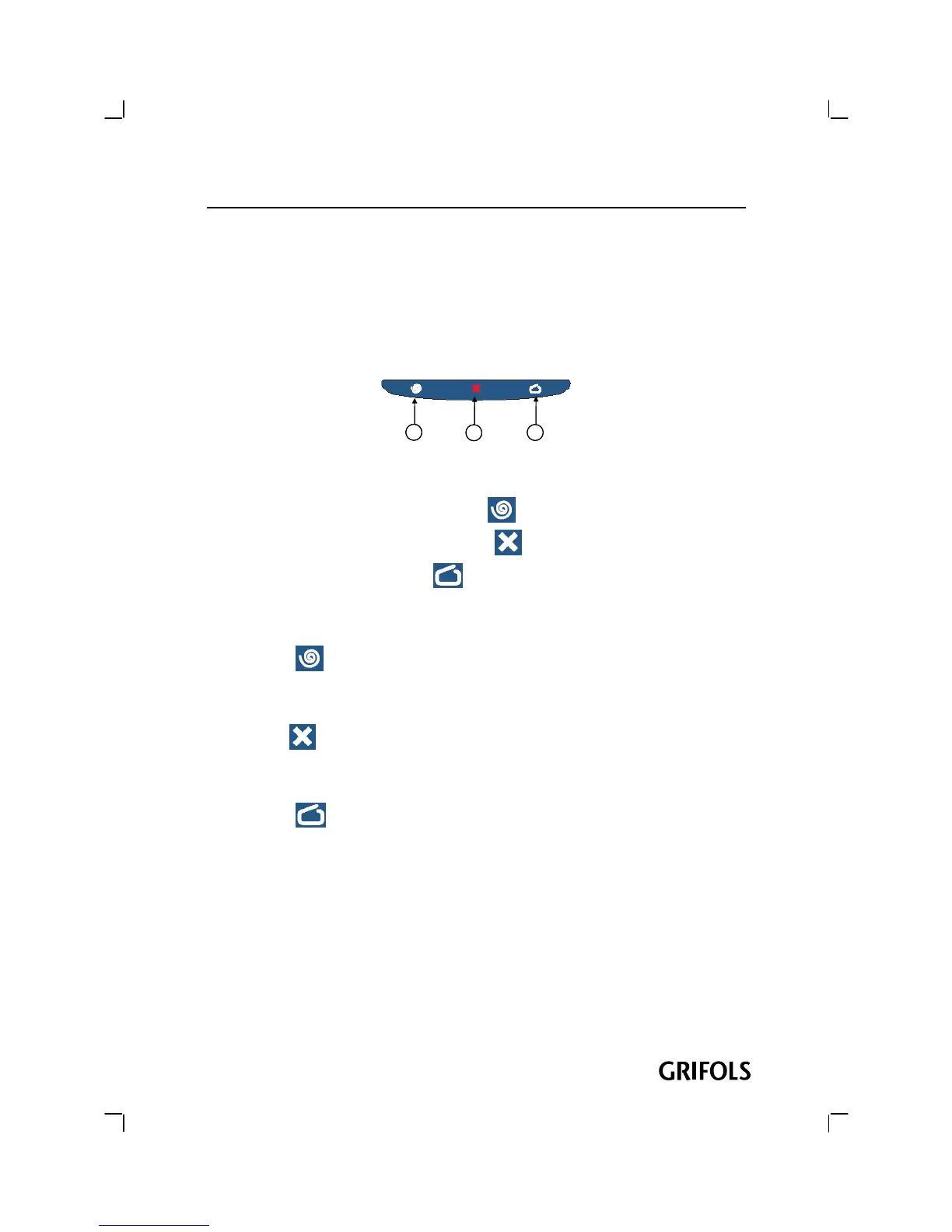
centrifuge has three buttons (Ref.(4), Figure 1) for control of
centrifugation.
1
2
3
11
22
33
Figure 5 : Centrifugation Control buttons
(1) Centrifugation starting button (
)
(2) Centrifugation stopping button (
)
(3) Cover opening button (
)
4.1.4.1
Centrifugation starting button
Pressing the button starts the centrifugation cycle. It is essential that the
Cover to be closed.
4.1.4.2
Centrifugation stopping button
Pressing the button centrifugation may be stopped before the established time
ends.
4.1.4.3
Cover opening button
Pressing the button, the Cover to get to inside (Ref. (3), Figure 1) of the
DG Spin
centrifuge opens. The Cover will open only if the motor is completely
stopped.
4.1.5 Display
The Display (Ref. (5), Figure 1) informs the OPERATOR of the remaining time to
the end of centrifugations and speed. It also informs of possible error situations.


 To Next Page