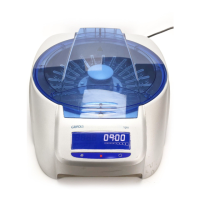
DG Spin
Installation
5-4
• Press to modify the value to the required level.
• Once the required level has been selected, press
to move
onto the next parameter.
The Display will automatically show the following configuration
menu: Selection of centrifugation speed units.
• To change the units, press
and select the required unit: rpm
or g's.
- SEL rpm: Centrifugation speed in revolutions per minute
(rpm)
- SEL g’s: Relative centrifugation force (g)
• Once the required level has been selected, press
to move
onto the next parameter. Automatically, the Display will show
flickering digits corresponding to the Date (YYYY.MM.DD) and
the Time (HH:MM). Press
to modify the value of each field
and
to move onto the next field. The date and time of the
centrifuge are pre-programmed with respect to the GMT system
and therefore should not be modified.
• Once the date and time has been introduced, save the
configuration by keeping
pressed down. The equipment will
emit a long and continuous acoustic signal indicating that the
configuration has been successfully saved.
The
DG Spin
centrifuge will automatically show the Display with the
programmed pre-centrifugation time
NOTE:
If no button is pressed for 15 seconds, changes
are not recorded in the Configuration mode.


 To Next Page