9
9
Screens Types
There are three types of screens:
1. Lift to Brew (“HOME”) screen with rotating product and ingredient images.
2. Process related screens. These images provide an instruction for the user and/or provide status of an
internal process that needs to take place before the user proceeds to brew a beverage.
Lift to Brew
Heating Please Wait
Press Brew Button to Pause
Brewing Complete
Insert Real-Cup™ capsule
Close Brew Chamber
3. Action related screens: The action related screens require the user to perform an action. If this action is
not performed, the brewer will not properly function.
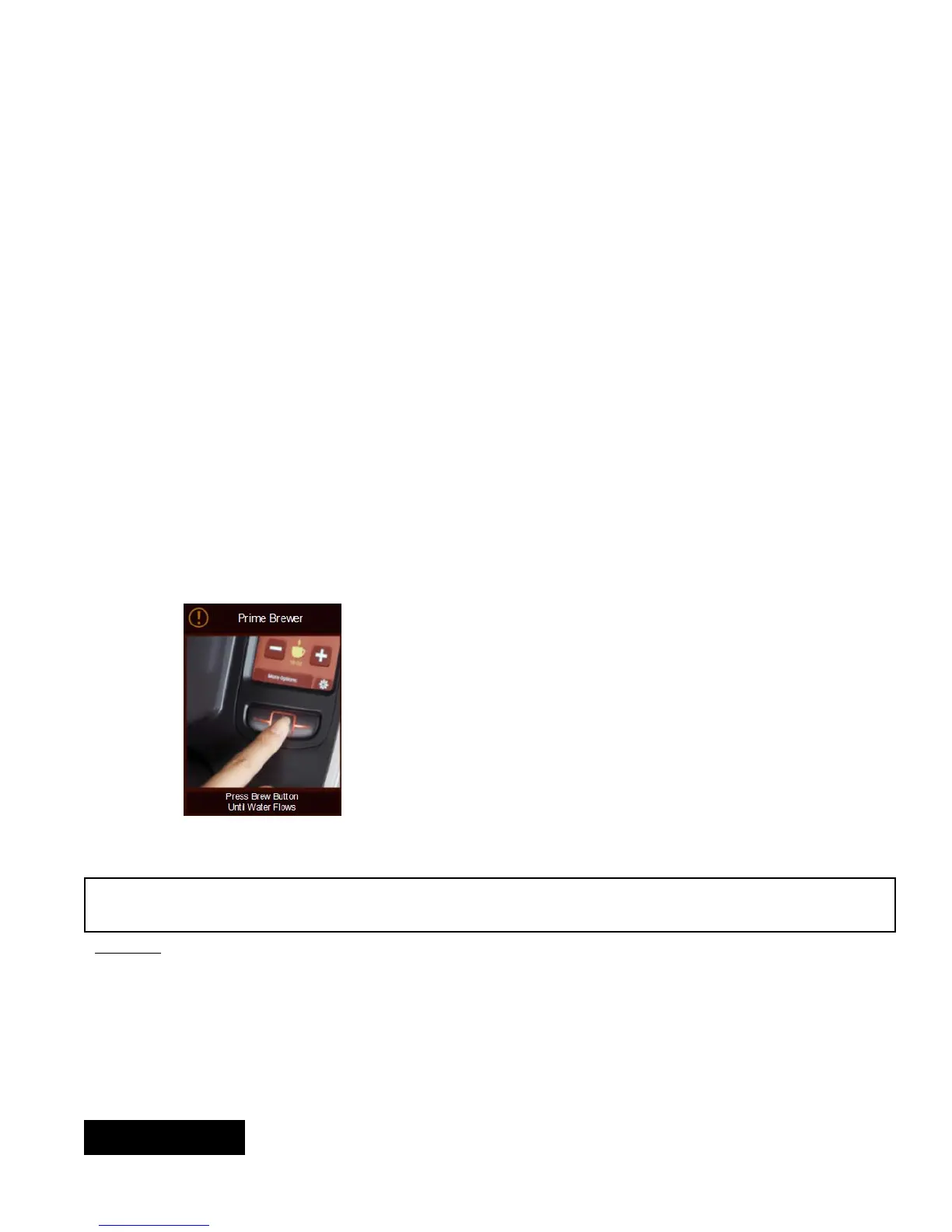
Prime Brewer
Refill Water Tank
Make Sure Water Tank Is Properly Positioned
Error: Brew Chamber Opened
Water Flow Error
Water Too Hot
Water Not Heating
If the actions screen has a red exclamation
mark, call service provider. If it is yellow,
user action is required
Cleaning and Maintenance
WARNING Brew probes are sharp. To prevent injury, do not place fingers inside the brew chamber. To reduce
foreign material from entering the brewer, keep brew chamber and reservoir lids closed.
Cleaning:
NOTE: When cleaning the unit do not use cleansers, liquid bleach, powders or any other substance that contains
chlorine. These products promote degradation of plastic parts. Use of these products will void the warranty.
Empty the drip tray and reservoir tank as needed and wash in a solution of dish detergent and water, rinse thor-
oughly.
All external parts can be cleaned with a soft, damp cloth. Do not use any abrasives. They will scratch the external
surfaces. Do not immerse machine in water. Do not place brewer into a dishwasher.
ENGLISH


 To Next Page