E)To turn on the AC output supply, short press the AC power button, and you will observe the AC power indicator lights on. Wait for 5 seconds to
activate the AC power supply, then you should be able to charge your equipment using AC output ports.
F)Long press the AC power button for 6 seconds to change AC frequency mode (50HZ/60HZ).
The total output power of the AC output ports is up to 1800W (the sum of the four ports). When the total output power exceeds the rated power, the product will
trigger overload protection, cut off the AC output and prompt an overload alarm. Unplugging the AC load will clear the alarm and restore normal AC output.
Wireless
G) Wireless charging is automatically activated when the product is powered on. You can charge wirelessly simply by placing the device within the
wireless charging range on top of the product.
This feature is only available for devices that support wireless charging. Slow breathing blue light indicates wireless charging, sky light flashing indicates
wireless charging error, green light on for 30 seconds means the wireless device has just been taken out or just turned on.
Connection:
H)Long press the WIFI button for 3 seconds to reset the connection with your smart devices.
Notice before charging.
1. This product supports wall charging, solar panel charging, and car charging.
2. This product supports charging and discharging at the same time.
3. Do not use a charging cable not officially designated by Growatt for charging. Otherwise, Growatt will not be responsible for any
consequences.
4. When charging, please make sure to place the machine away from liquids, flammables, and combustibles.
5. If the product is charged immediately after full-load discharge, over-temperature protection may be triggered for battery safety reasons. It
typically takes 2-3 hours for the product to cool down before another charge.
6. The product’s rechargeable temperature is 32℉~104℉(0℃~40℃). Charging within the ideal charging ambient temperature 50℉~82.4
℉(10℃-28℃) can greatly extend the battery life.
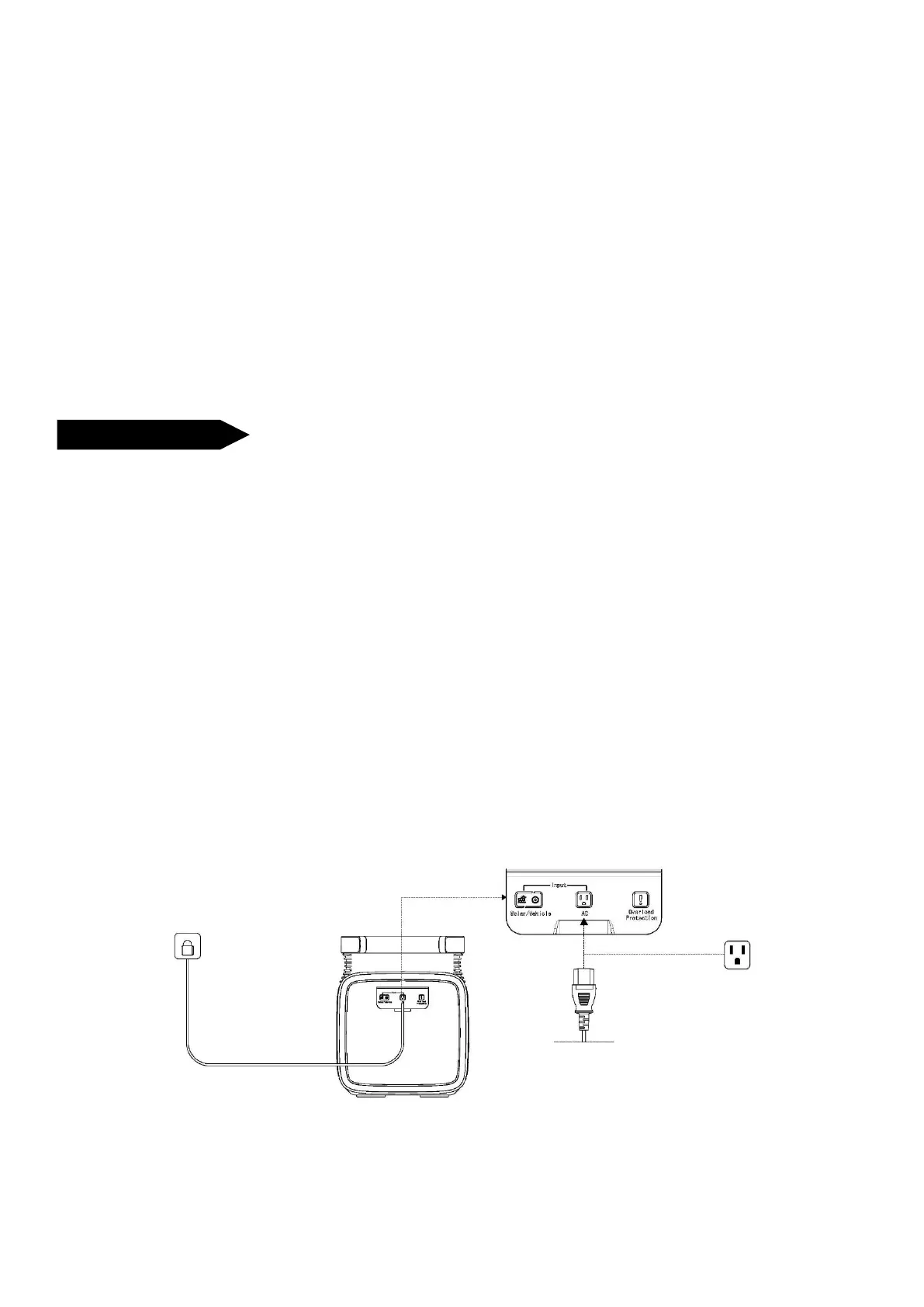
I) AC Charging and Car Charging
The charging ports for the INFINITY 1300 locate on the left side of the product. The charging port for the INFINITY 1300 is on the left side of the product.
Please follow the instructions below to connect and recharge the product.
a) AC Charging.
The AC input voltage range is 100-120Vac. When the AC input is overloaded, the circuit breaker will be activated to protect the battery from damage.
b) Car Charging.



 To Next Page