
 To Next Page
L
Lori HornSep 6, 2025
What should I do if my Growatt MAX 100KTL3-X LV displays Warning 208?
- CChristine BakerSep 6, 2025
If your Growatt Inverter is showing Warning 208, after shutdown, check the fuse. For further assistance, contact Growatt.

What should I do if my Growatt MAX 100KTL3-X LV displays Warning 208?
If your Growatt Inverter is showing Warning 208, after shutdown, check the fuse. For further assistance, contact Growatt.
What should I do if my Growatt Inverter displays Error 300?
If your Growatt Inverter shows Error 300, check the grid voltage. For further assistance, contact Growatt.
What does Warning 401 mean on my Growatt MAX 100KTL3-X LV and how to fix it?
If your Growatt Inverter is showing Warning 401, check if the communication between the inverter and the meter is abnormal. For further assistance, contact Growatt.
What should I do if my Growatt MAX 100KTL3-X LV Inverter displays Error 408?
To address Error 408 on your Growatt Inverter, first restart the inverter. If the issue persists, contact Growatt for support.
What should I do if my Growatt MAX 100KTL3-X LV displays Error 429?
To address Error 429 on your Growatt Inverter, first restart the inverter. If the issue persists, contact Growatt for support.
What should I do if my Growatt Inverter displays Warning 205?
To address Warning 205 on your Growatt Inverter, first restart the inverter. If the issue persists, contact Growatt for support.
What to do if Growatt MAX 100KTL3-X LV displays Warning 210?
If your Growatt Inverter is showing Warning 210, check PV input terminals. For further assistance, contact Growatt.
What does Warning 400 mean on my Growatt MAX 100KTL3-X LV Inverter, and how can I fix it?
If your Growatt Inverter is displaying Warning 400, after shutdown, check the fan connection. If necessary, replace the fan. For further assistance, contact Growatt.
What should I do if my Growatt MAX 100KTL3-X LV displays Error 418?
To address Error 418 on your Growatt Inverter, first restart the inverter. If the issue persists, contact Growatt for support.
What to do if Growatt MAX 100KTL3-X LV Inverter displays warning301?
If your Growatt Inverter displays warning301, check that the AC voltage is within the standard voltage range specified. For further assistance, contact Growatt.
Provides information and installation instructions for MAX-X Series solar inverters.
Specifies that only qualified electrical technicians can install the MAX-X series inverter.
Details safety precautions for installation and operation, emphasizing qualified technicians.
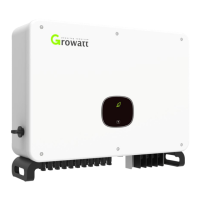
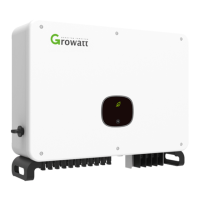
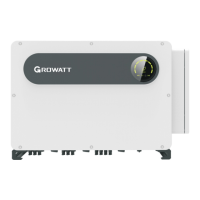
Details the physical appearance of the inverter, labeling key components like front panel, terminals, and fans.
Explains how the MAX-X series inverter converts DC power to AC power and connects to the grid.
Lists all items included in the inverter package, with their corresponding marks.
Outlines essential requirements for installing the inverter, including wall strength and space.
Details environmental conditions for installation, such as avoiding rain, snow, and direct sunlight.
Explains the procedure and safety precautions for connecting the AC side of the inverter.
Details the safe connection procedures for the DC side of the inverter.
Covers the initial setup and configuration of the inverter before grid connection.
Illustrates the meaning of different LED indicators on the inverter for status and faults.
Covers methods for remote monitoring of the inverter via APP and server.
Explains how to monitor the inverter's data locally using a PC or mobile app.
Outlines routine maintenance tasks for the inverter, including cleaning.
Offers guidance on troubleshooting common issues and understanding inverter warnings.
Presents detailed technical specifications for various MAX-X series inverter models.
Provides instructions on the proper disposal of the inverter according to electronic waste regulations.
 General
| Model | MAX 100KTL3-X LV |
|---|---|
| Rated Power | 100 kW |
| Max. DC Voltage | 1100 V |
| Input Voltage Range | 200 V - 1000 V |
| Start Voltage | 200 V |
| Nominal DC Voltage | 600 V |
| MPPT Voltage Range | 200 V - 1000 V |
| Max. Input Current per MPPT | 30 A |
| Nominal AC Power | 100 kW |
| Max. AC Power | 110 kW |
| Rated Output Power | 100 kW |
| Max. AC Output Power | 110 kW |
| Nominal AC Voltage | 400 V |
| AC Voltage Range | 310 V - 480 V |
| AC Grid Frequency | 50 Hz / 60 Hz |
| Total Harmonic Distortion (THDi) | < 3% |
| Power Factor Adjustment Range | 0.8 leading - 0.8 lagging |
| DC Switch | Yes |
| Protection Class | I |
| Operating Temperature Range | -25°C to +60°C |
| Ingress Protection | IP65 |
| Type | Three Phase |
| Max. DC Power | 150000W |
| Max. DC Input Power | 150000 W |
| Efficiency (Max.) | 98.6% |
| Cooling Concept | Natural Convection |
| Communication | RS485, Wi-Fi, Ethernet |
| Noise Level | < 65 dB |
| Protection Level | AC short circuit |