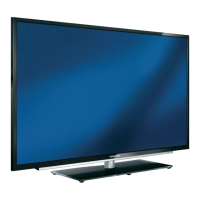
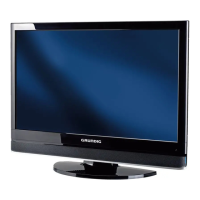
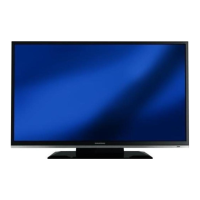
This document describes the Grundig 19 VLE 2000 TC LCD TV, providing details on its functions, technical specifications, usage, and maintenance.
Function Description:
The Grundig 19 VLE 2000 TC is an LCD television capable of receiving and processing both analogue and digital TV channels (DVB-T and DVB-C), including High Definition (HD) programmes where available. It features an electronic TV guide for digital channels, providing schedule information and programme details. The TV also supports external data media via a USB socket, allowing playback of various file formats such as MP4, MP3, and JPEG data through its file browser. It can function as a PC monitor, connecting via VGA and audio cables. The device includes a Common Interface (CI) slot for viewing encrypted digital channels with a suitable CA module and smart card. Parental control settings allow for authorising programmes, locking menus, and locking keys. The TV also offers various sound settings, including preset sound effects (Music, Natural, Speech, User), an Equalizer for custom sound adjustments, and Audio Description for visually-impaired persons. Automatic volume limiting (AVL) keeps the volume consistent across channels.
Important Technical Specifications:
- Operating Voltage: 220-240 V ~ 50-60 Hz or DC 12 V / 3.75 A (max. standard adaptor).
- Power Consumption: On mode 26 W, Standby <0.50 W.
- Energy Efficiency Class: B.
- Maximum Power Consumption: On mode 45 W.
- Annual Power Consumption: 38 kWh.
- Audio Output: 2 x 6 W music power output, 2 x 3 W Sine wave power.
- Rohs Limits: Pb (Lead)/Hg (Mercury) Pb meets ROHS directive / 0 mg.
- Peak Luminance Ratio: 65%.
- Digital Reception Ranges (Cable): Overall band 110 MHz-862 MHz, Modulation 16QAM, 32QAM, 64QAM, 128QAM, 256QAM, Symbol rate 4.0 Msym/s to 7.0 Msym/s.
- Digital Reception Ranges (Terrestrial): VHF/UHF band, Bandwidth 7 MHz and 8 MHz, COFDM modi 2k and 8k, Constellation 16QAM, 64QAM, QPSK.
- Analogue Reception Ranges: C02-C80, special channels S01-S41.
- Preset Channels: 1000 (Cable - DVB-C) or 100 (Analogue), 1000 (Terrestrial – DVB-T) or 100 (Analogue), 7 AV, 1 USB.
- Screen Size: 47 cm/19 inch.
- Maximum Resolution: WXGA, 1366 x 768.
- Weight: approx. 3.3 kg.
- Dimensions (WHD): 45.5 cm x 34.2 cm x 6.2 cm.
- Screen (dm²): 9 dm².
Usage Features:
- Setup and Safety: Instructions for safe installation, including connecting external equipment and the antenna. Caution regarding wall brackets and proper fastening.
- General Information: Details on digital TV reception (DVB-T, DVB-C, HD programmes), electronic TV guide, and USB media playback. Environmental notes on power saving.
- Connection and Preparation: Step-by-step guide for connecting the antenna/power cord and inserting batteries into the remote control.
- Overview: Descriptions of connections on the television set (DC IN, AC IN, AV1/S-VHS, Component, L R, Y/CVBS, Audio, PC-IN, ANT IN, HDMI1, HDMI2, USB, CI, Headphone jack) and controls on the TV set and remote control.
- Settings:
- Initial Setup and Tuning: Guides for tuning terrestrial and cable TV channels, including automatic and manual scanning.
- Program Table Management: Creating, sorting, and deleting favourite channel lists (up to four lists, each storing up to 255 channels). Skipping channels.
- Picture Settings: Adjusting picture mode (User, Brightness, Contrast, Sharpness, Colour, Colour Temperature), DNR, and MPEG NR.
- Sound Settings: Adjusting volume, balance, AVL, sound type (Stereo, Mono), sound mode (Normal, Spatial), sound preset (Speech), and audio output setup. Sound effects (Music, Natural, Speech, User) and Equalizer. SRS TruSurround HD for surround sound. Audio description for visually-impaired persons.
- Television - Operation:
- Basic Functions: Switching on/off, selecting channels, adjusting volume.
- Freeze-frame: For pausing the picture.
- Electronic TV Guide (EPG): Accessing programme information.
- Changing Picture Format: Selecting various picture formats (Auto, 16:9, 14:9, 4:3, LetterBox, Subtitle, Panorama, Overscan).
- USB Operation:
- File Formats: Supported video (DIVS, XVID, H.264/MPEG-4 AVC, MPEG-4, MPEG-2, MPEG-1, MJPEG, MOV), audio (MP3, AAC, WMA), and image (JPEG, PNG, BMP) formats.
- Connecting External Data Media: Instructions for connecting USB devices (external hard drives, digital cameras, MP3 players) and using the file browser.
- USB Setup Menu: Settings for automatic preview and display mode (slideshow duration).
- DivX® VOD: Registration required for playing protected DivX® videos.
- Basic Playback Functions: Selecting data media, file formats, folders/files, and playing tracks/pictures. Pause, resume, and end playback.
- Additional Playback Functions: Selecting chapters and titles on DivX® files, playing selected titles, rotating pictures, repeat functions, fast forward, enlarging/reducing the display.
- Teletext Operation: TOP text or FLOF text mode, normal text mode, skipping waiting time, enlarging character height, page hold, opening sub-pages directly, revealing answers, split screen.
- Convenience Functions:
- SETTINGS Menu: Changing audio language, setting date and time (automatic or manual), timer settings (switch-off, switch-on), parental control (authorising programmes, locking menus, locking keys), changing PIN code, locking TV channels.
- Updating Software: For digital channels only, automatic or manual updates.
- Restoring Default Settings: Deleting channel lists and custom settings.
- Operation Using External Devices:
- DIGI LINK: Connecting and activating external devices (up to 11 devices) with DIGI LINK function. Automatic selection of HDMI preset.
- Device Operation: Deciding if external devices react to the TV's remote control. Switching external devices to standby.
- High Definition HD Ready: Connecting corresponding input sources (HDTV receiver, DVD player) to HDMI sockets.
- Connecting External Devices: With digital audio/video signals (HDMI1, HDMI2), analogue video signals (Component Y/CVBS Pb Pr, L R), SCART socket (AV1/S-VHS), S-Video signal (AV1/S-VHS).
- Activating a Decoder: For unencrypted video/audio signals.
- Headphones: Connecting headphones and changing headphone volume.
- Hi-fi System/AV Receiver: Playing audio signal via HiFi system.
Maintenance Features:
- Environmental Protection: Information on saving resources, proper disposal of the television set at the end of its service life, and recycling used products.
- Troubleshooting: A table listing common problems, possible causes, and remedies, such as antenna cable issues, incorrect picture settings, interference, signal strength, remote control problems, and PC mode display issues.
- Software Updates: For digital channels, software can be updated automatically or manually.
- Restoring Factory Defaults: This function allows users to delete all channel lists and custom settings, effectively resetting the television to its original factory state.
- Fuse Replacement: For UK units, information on replacing the 3-pin plug fuse (BS1362) is provided for safety.
- Class A Product: The device may cause radio interference during operation, requiring the user to remedy this, potentially by contacting a specialist dealer.

 Need help?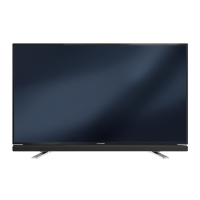




 To Next Page
 General