19 / 52EN
Refrigerator / User Guide
19
EN
PT
Installation
C
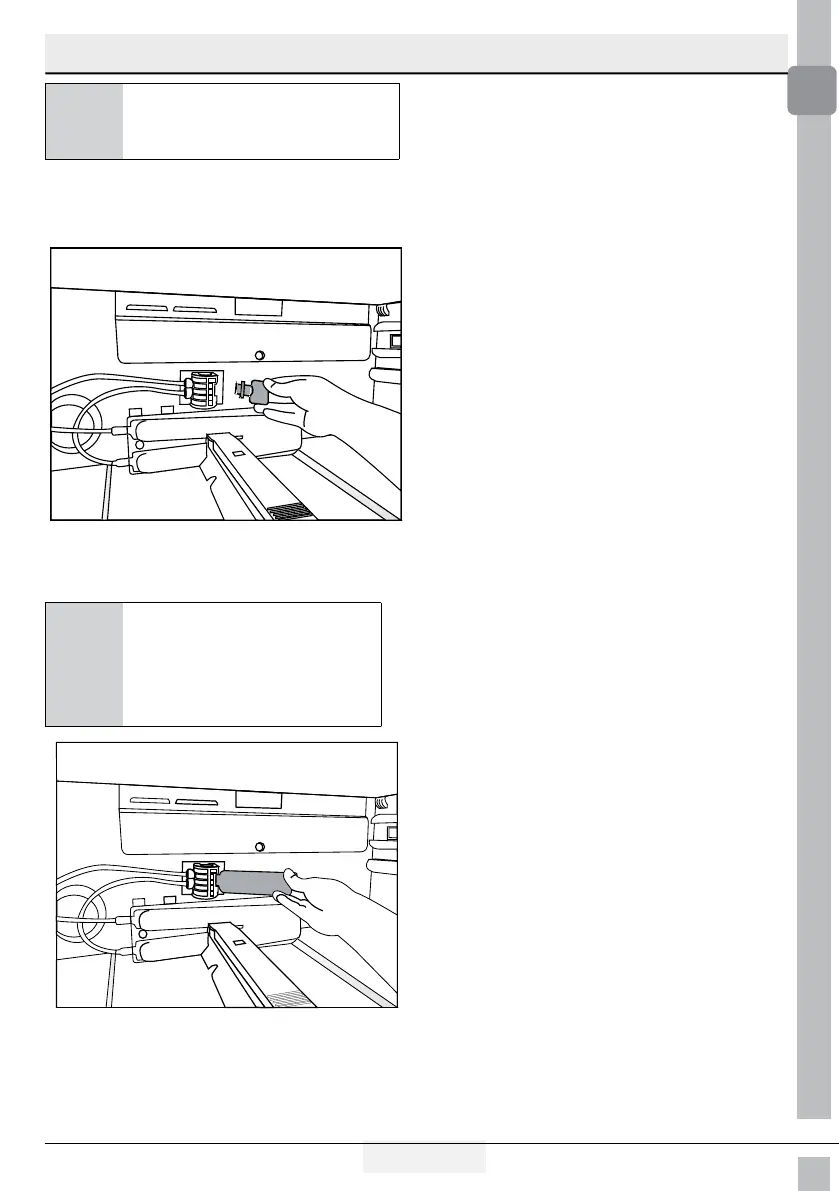
A few drops of water may
flow out after removing the
cover; this is normal.
3. Place the water filter cover into
the mechanism and push to lock
in place.
4. Push the “Ice” button on the scre-
en again to cancel the “Ice Off”
mode.
C
The water filter will clear
certain foreign particles in
the water. It will not clear
the microorganisms in
the water.




 To Next Page