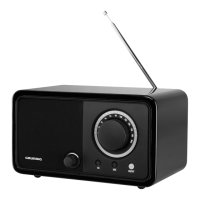
See the figure on page 3.
Controls on the front
Display Shows various information
such as channel name, time,
alarm time, volume and the
menu.
ON/OFF
– +
Push the button, switches the
device on and off;
turn the button, adjusts the
volume.
Ends the alarm.
1 ... 5 Preset buttons for storing
and selecting radio stations.
Mode/Alarm In operating mode:
switches between DAB, FM,
Bluetooth and AUX input
sources.
In standby mode: activates/
deactivates the alarm func-
tion;
ends alarm stand-by;
press and hold down acti-
vates the settings for alarm
time and alarm mode.
Menu Opens the menu.
Sleep Sets the sleep timer.
Select/i Confirms settings.
In DAB mode: displays DAB
station information.
In FM mode: displays RDS
station information.
+5 eII In DAB/FM mode: activates
the second level of preset
buttons 6 to 10.
In Bluetooth mode: starts and
pauses playback.
r Tuning/Skip e In DAB mode: selects DAB
radio stations from the
program list.
In FM mode: tunes FM radio
stations.
Selects menu options.
In Bluetooth mode: select the
previous or next track.
Controls on the back
Antenna Telescopic antenna.
USB USB socket for upgrading
the software of the device.
AUX IN Audio signal input (stereo/
mono) for connecting to an
external device.
PHONES Earphone socket (3.5 mm
stereo plug).
AC: 230 V
~,
50/60 Hz
Connection socket for power
cable supplied.












 To Next Page