16
Essence Power
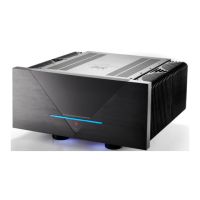
To be able to see the current Essence lightbar mode, the lightbar’s white light changes status when
toggling the Mode switch. See the three illustrations on the next two pages:
Figure 4. Lightbar indicating Standard mode 1
Standard mode 1 is chosen, when the left segment of the lightbar lights up white.
Figure 5. Lightbar indicating mode 2
Lightbar mode 2 is chosen, when the first and second segment of the lightbar light up white.


 To Next Page
 Loading...