15
Changing Lightbar Mode
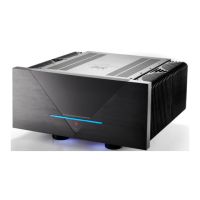
The lightbar serves as an amplifier mode and bias indicator.
The Essence mode setting is toggled with the Mode switch at the bottom, left side of the Essence,
see Figure 3.
1. In standard mode 1 (default), the Essence lightbar is blue.
When changing Bias setting in this mode, the actual Bias setting: Low (green) or High (red) is
indicated approximately 10 seconds before the lightbar returns to blue.
2. In mode two, the lightbar permanently shows the actual amplifier bias setting:
Red indicates Bias High and green indicates Bias Low.
3. In mode three, all light indication except the green ON symbol is off (Stealth mode).
When changing Bias setting in Stealth mode, the actual Bias setting, Low (green) or High
(red) is indicated approximately for 10 seconds before the lightbar returns to off (Stealth).
Essence Power
Figure 3. Mode switch Bias switch


 To Next Page
 Loading...