8. Vision/Dri-Tek Dryer Operation
PNEG-1717 CE Approved GSI/FFI Portable Dryer Manual 37
Continuous Flow Drying Mode Using Regulation of
Grain Temperature
Full Heat Continuous Flow Operation
In this example incoming grain 25% and target is 15% moisture.
1. Set continuous flow drying. SETUP > DRYING MODE > CONTINUOUS FLOW > ACCEPT/EXIT.
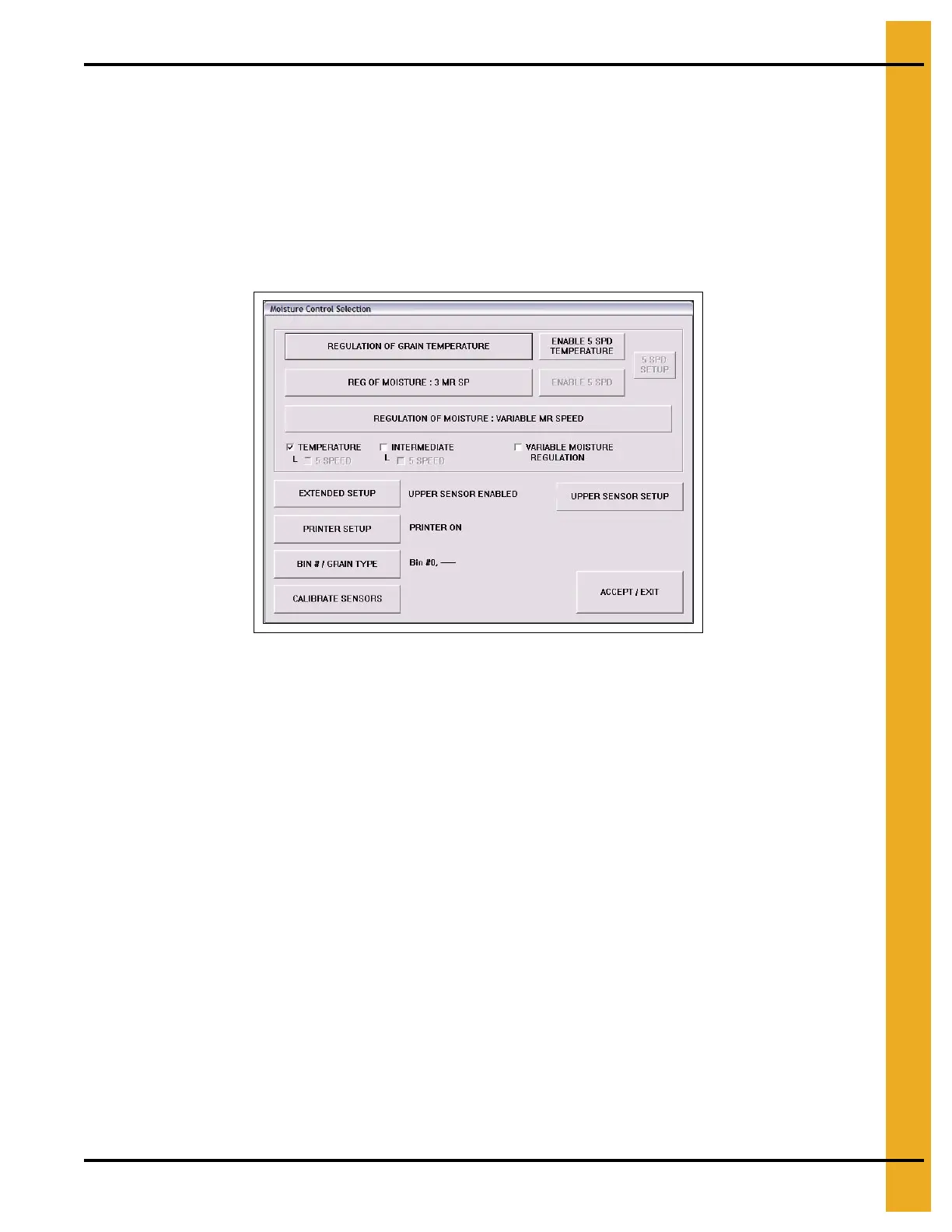
2. Set drying mode. M/C SETUP > REGULATION OF GRAIN TEMPERATURE > ACCEPT/EXIT > EXIT.
Figure 8A
3. Ensure the Unload switch is OFF (0).
4. Ensure fuel supply is on at all shut off valves.
5. Fill the dryer with grain. Load auger = AUTO (0/1).
6. Switch all fans switch ON (1).
7. Start each burner. Heater = ON (1).
8. Set plenum temperatures to 80°C.
9. Refer to PNEG-1650/PNEG-1651 for the full heat settings for the dryer. Note the drying time and
speed settings for the drying requirements.
10. Run the fans and burners for the drying time +10%. Example: 10% Removal = 54 Minute so run
fans/heaters for 54+5.4 = 59-60.
11. After the required time set unload auger to MANUAL (1).
12. Set the meter roll speed, (manual speed) to the “1 Speed setting” noted from the drying chart. Press
Accept/Exit button to set this value into the computer. Grain should begin to run.
13. Run again for 10% longer than the drying time noted from the chart. This will even out, but over dry
the grain in the dryer.



 To Next Page