8. Vision/Dri-Tek Dryer Operation
PNEG-1717 CE Approved GSI/FFI Portable Dryer Manual 41
Continuous Flow Drying Mode Using Regulation of Moisture:
5 MR SP
Full Heat Continuous Flow Operation
1. Follow Steps 1-8 on Page 37 for full heat continuous flow setup.
2. Set continuous flow: SETUP > DRYING MODE > CONTINUOUS FLOW > ACCEPT > EXIT.
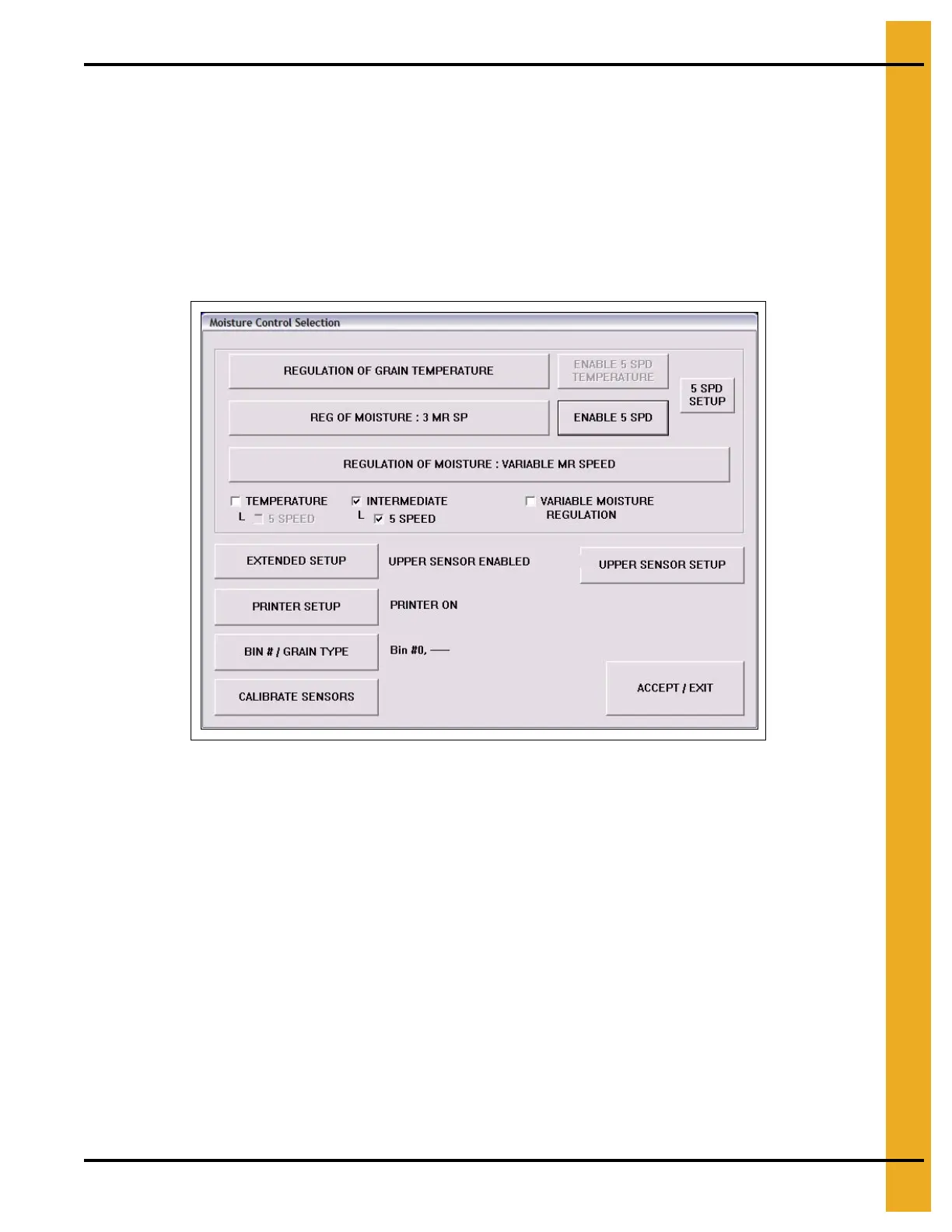
3. Enter 5 Speed moisture regulation mode: SETUP > M/C Setup > ENABLE 5 SPD.
Figure 8H
4. Set required moisture set point M/C > Enter set point > ACCEPT.
5. Setup 5 Speed control parameters: 5 SPD SETUP. (See Figure 8I on Page 42.)
6. Use defaults to start.
7. Adjust offset as required to fine tune moisture control. This will increase (INC) or decrease (DEC)
the stage at which the dryer adjusts the metering roll speeds to maintain the required drying
set point.
8. At this stage, drying must be started manually, following the same procedure given in Step 9
on Page 42 to Step 12 on Page 43 for full heat continuous flow temperature control.



 To Next Page