8. Vision/Dri-Tek Dryer Operation
40 PNEG-1717 CE Approved GSI/FFI Portable Dryer Manual
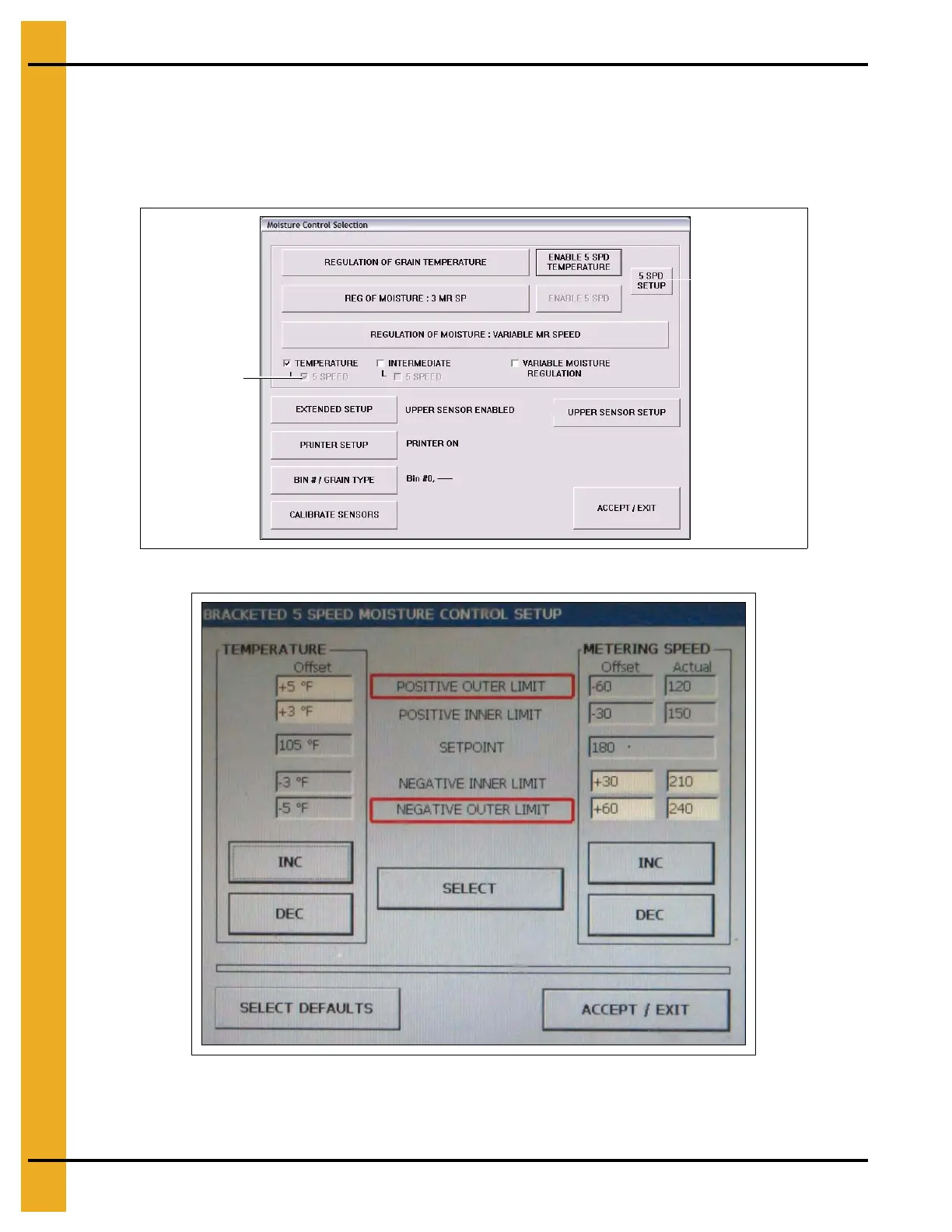
Continuous Flow 5 Speed Temperature Control
1. Enable the 5 Speed option: SETUP > M/C Setup > ENABLE 5 SPD TEMPERATURE.
(See Figure 8F.)
2. Enter 5 Speed setup: 5 SPD SETUP. (See Figure 8G.)
3. Initially use default settings.
Figure 8F
Figure 8G
4. Inner and outer limits dictate the points at which the speed increases either side of the set point.
These are set as shown in Figure 8G using the INC (increase) and DEC (decrease).



 To Next Page