www.gsl-energy.com - 8 -
3.6.2.Screen Display
3.6.3.Functional Specifications
Interface introduction
Main menu page
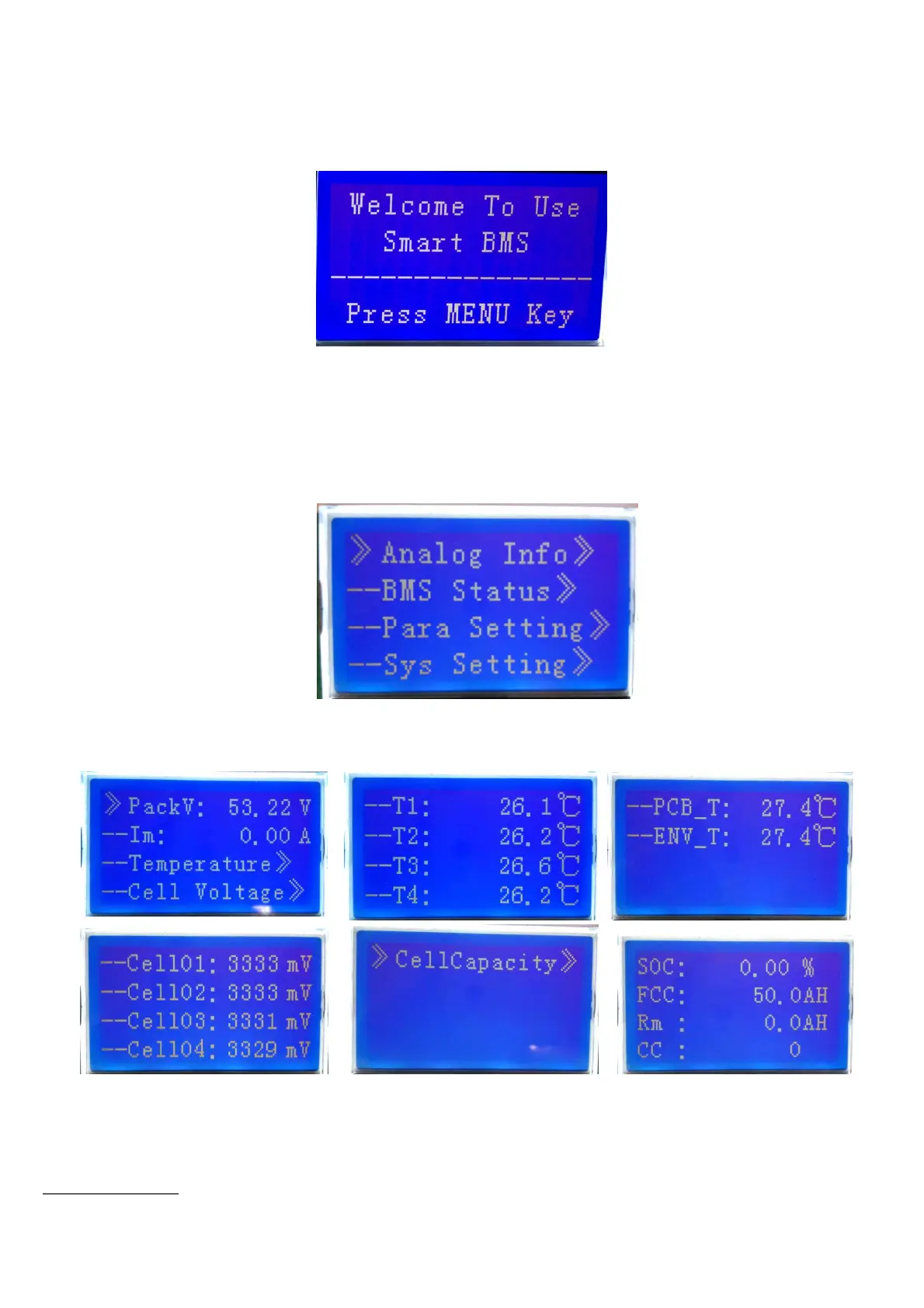
Electricity/dormancy activated, will show the welcome screen, press the MENU button to enter
the main menu page. As shown in the figure below
:
Battery parameters collection page
When the cursor“
》
”is point to “Battery Parameters Acquisition”
,
press ENTER key will enter
into the page of“Battery Parameters Acquisition”
,
As shown in the figure below
:


 To Next Page