G1342│ 6-5
browsing web page.
Text encoding: Sets
up text encoding.
Reset to default:
Restore default
settings.
Bandwidth
management
Search result
preloading: Allow
browser to preload
high confidence
search results in the
background.
Load images: Display
images on web
pages.
Labs
Quick controls: Slide
thumb from the left or
right edge to open
quick controls and
hide app and URL
bars.
Fullscreen: Use
fullscreen mode to
hide the status bar.
Slide Tab
Transitions: Swipe
from the edge to
reveal the
next/previous tab in
the list.
6.3 Calculator
With Calculator, you can perform basic arithmetic
functions on your phone.
1. Tap Application Drawer > APPS > Calculator.
2. In Calculator screen, tap “Menu” to select the
advanced panel.
6.4 Calendar
Calendar helps you schedule and sound alarms for
appointments, meetings, and events.
1. Tap Application Drawer > APPS > Calendar.
2. If you do not log in your Google Account, tap
“NEW” to create an account, or tap “Existing” to
sign in the Google account. Please follow the
on-screen instruction to log in.
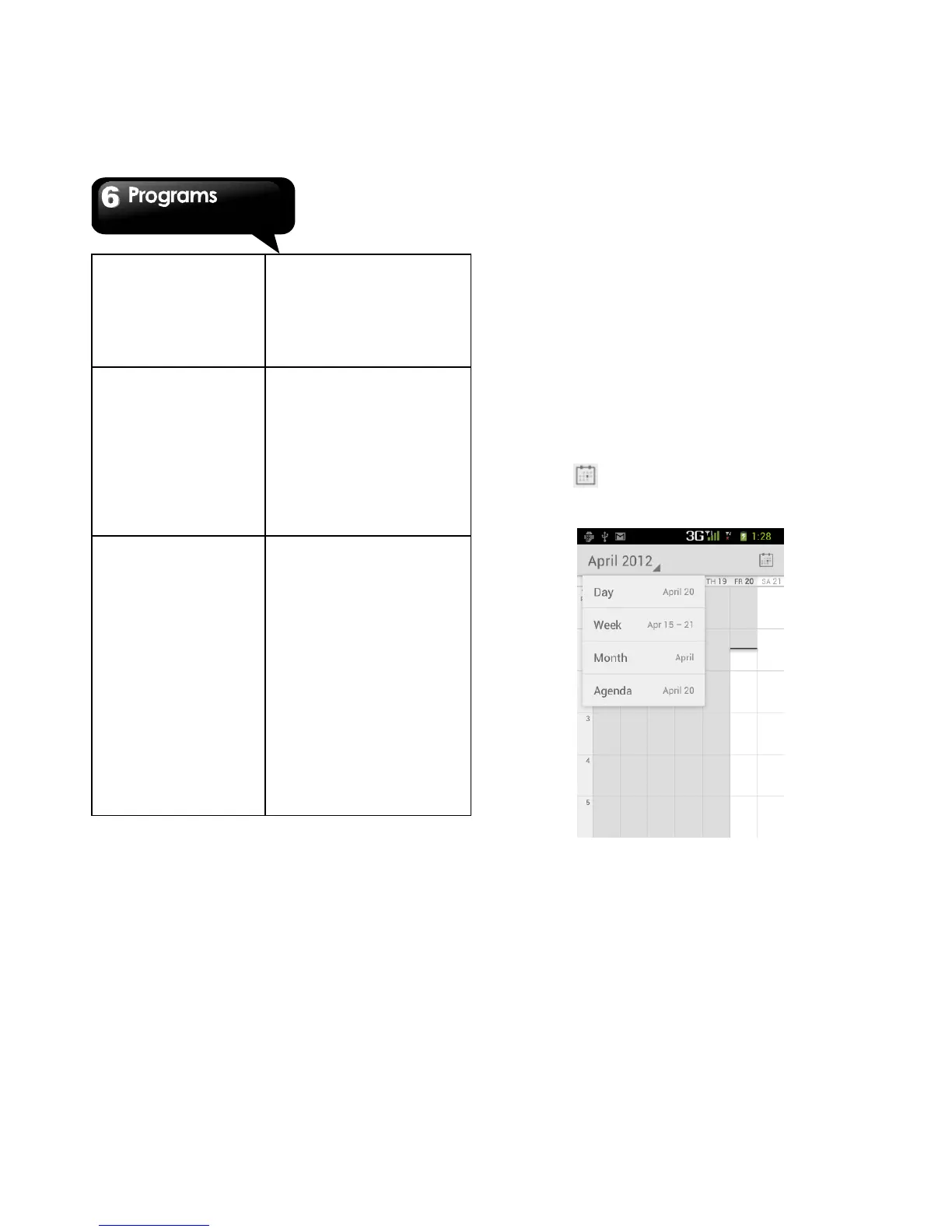
3. Tap Calendar spinner > Day, Week, Month, or
Agenda to change the displays of your events.
4. Tap to go back to today’s events.
5. Tap Menu > Settings to check more settings.
To view a event
1. Tap Application Drawer > APPS > Calendar.
2. Tap Calendar spinner > Agenda to display the
events.
To add and schedule an event
1. Tap Application Drawer > APPS > Calendar.



 To Next Page