G1342│
1-1
1. Getting Started
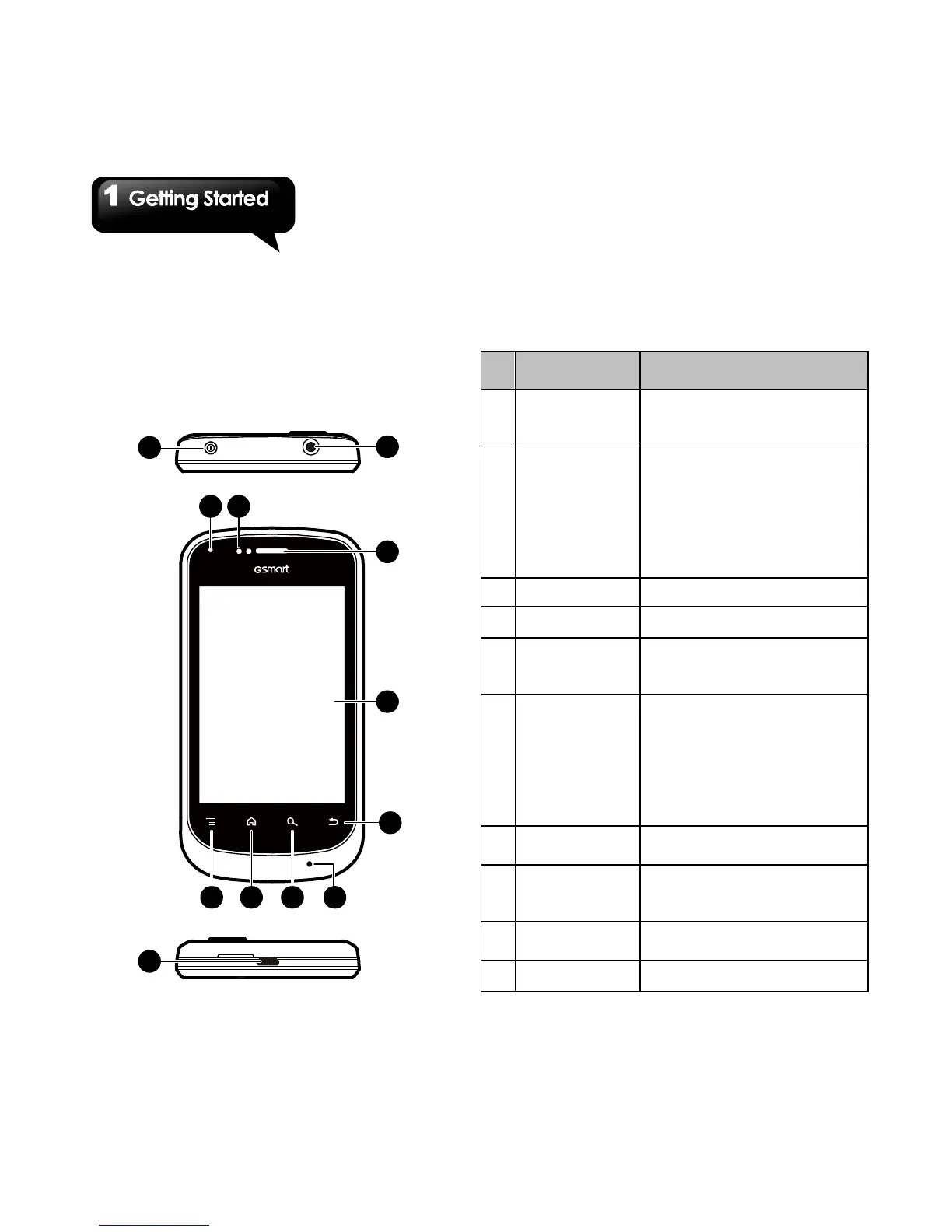
1.1 Your Phone
This section introduces you to the hardware of the
device.
3
4
1
2
10
11987
65
12
No.
Use a headset for hands-free
conversation or listening to
music.
2
Power
• Press and hold for several
seconds to turn the phone on
or off.
• To set your phone to the
sleep mode, press the power
button briefly. Press again to
turn on the display.
3
Receiver
The source of voice.
4
LED
• Power status notification.
• Other notification. (New
message / Missed call).
6
• P Sensor: The screen will
turn off automatically when
the device is close to the
during a phone call.
• Light Sensor: Adjust the
brightness of the screen
according to the environment.
Menu
Press to view the options of
the menu.
8
Home
• Go back to Home Screen.
• Press and hold to bring up
recent activities.
9
Search
Connect to the website or find
features in the phone.
10
Return
Return to the previous page.



 To Next Page