15
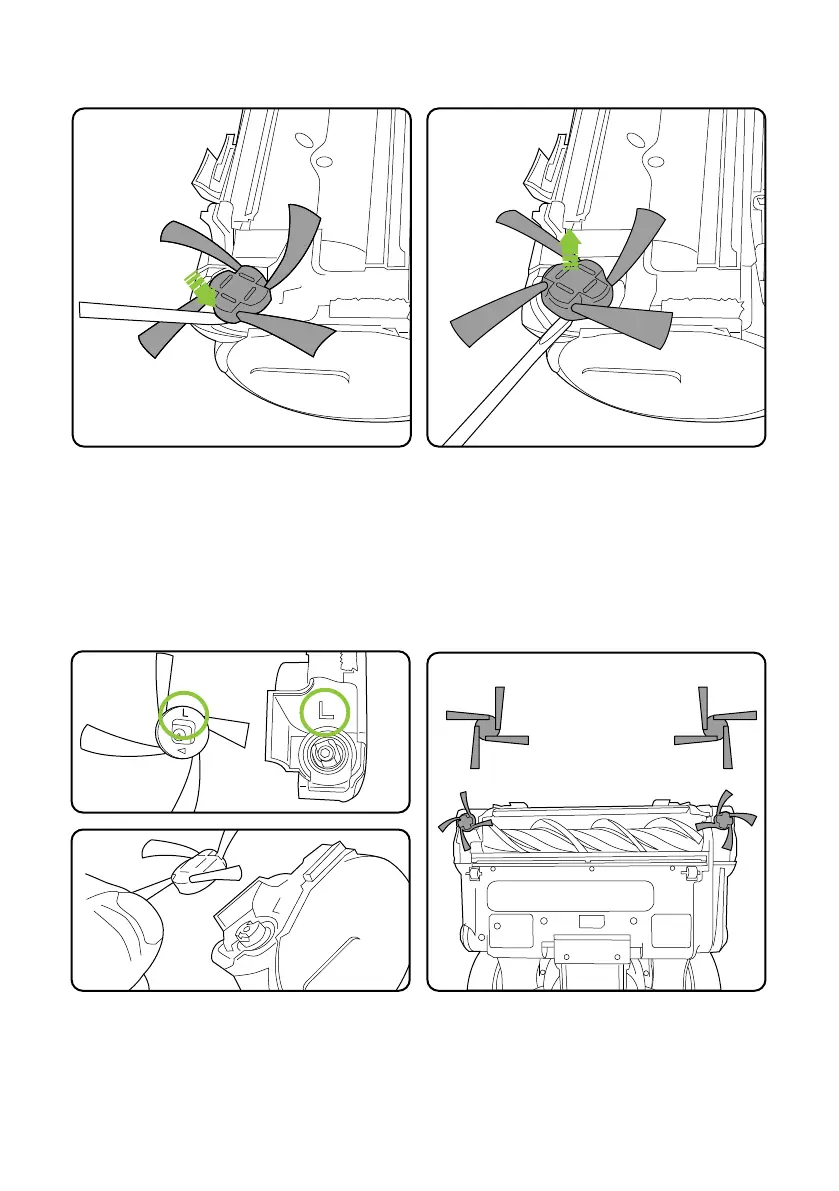
To re-fit align the brush onto the drive spindle and press the brush until it clicks into place.
The edge brushes are handed and note to match the “L “and “R” markings on the brush and
housing.
The edge brushes can be removed for cleaning
or replacement.
Before cleaning and removing the edge
brushes switch off and remove the battery.
Cleaning and removing the edge brushes
Carefully insert a small flat bladed screwdriver
or similar tool into the gap around the edge
brush.
Use the tool to push the edge brush up and
away from the housing.














 To Next Page