16
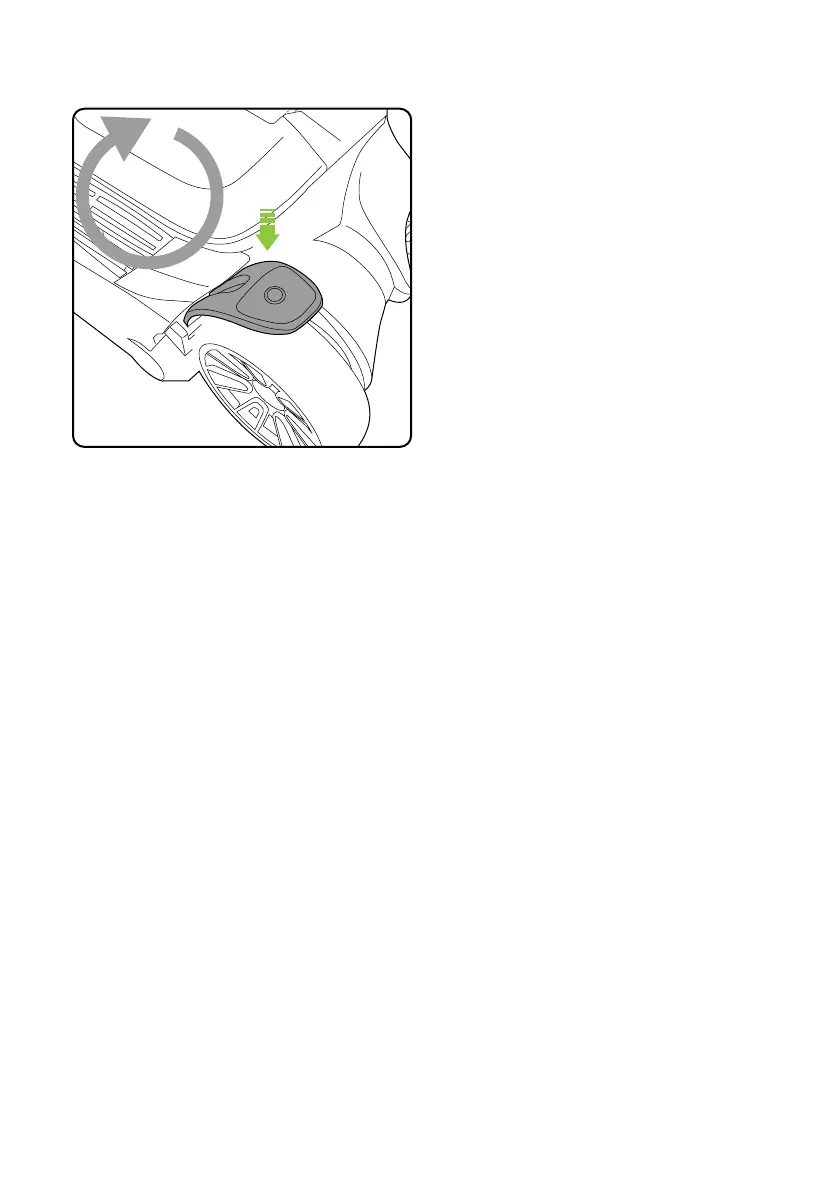
The voice notifications can be turned on and off.
With the product switched off, press and hold the
power button for 10 seconds to change the status.
Voice notifications
Product care
Your product doesn’t need much maintenance: keep the filters clean, keep the brush bar tangle-
free and charge the battery. Wipe it with a dry cloth if it gets dirty, including under the bin.
To maintain optimum battery life store the battery in clean, dry conditions, within a
recommended temperature range of 0 - 25°C. Do not store the battery in areas of high
temperature above 25°C. Do not store near a source of heat or where exposed to direct
sunlight.
The product can be stored on the charging stand. When the battery has fully charged, switch
the charging stand at the wall socket. This will optimise the battery life.
If the product will be stored for longer periods of time without use it is recommended to fully
charge the battery before storage to help maintain its condition and life.
10
seconds














 To Next Page