6
Dis-assembly
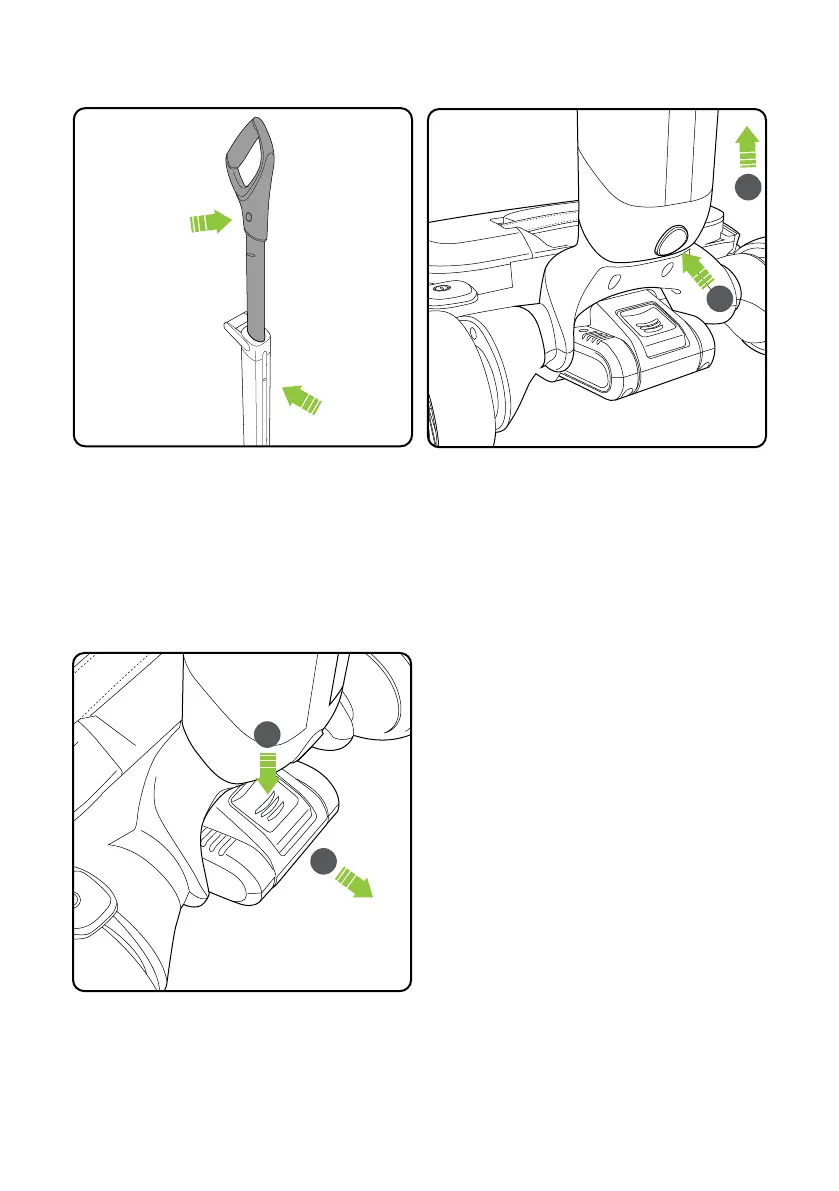
Removing the battery
Press the release button and pull to remove
the battery.
1
2
Should the upper handle need to be removed,
press the button and use a suitable tool to press
in the latch. Pull the handle upwards to remove.
Should the handle need to be removed, press
the button and pull the handle away from the
head.
1
2














 To Next Page