12
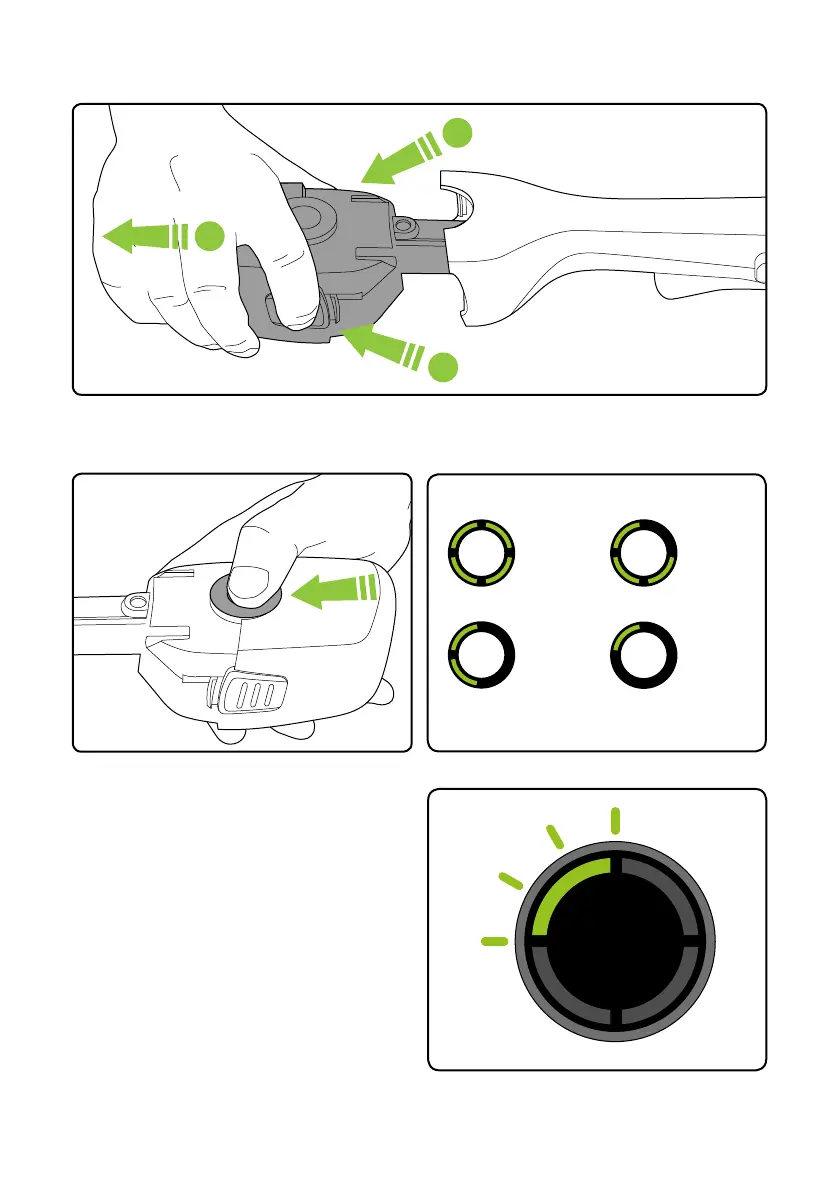
Removing the battery for charging
Press both buttons at the same time and pull to remove the battery.
Checking battery charge status
Press the button to check how much charge
there is in the battery.
The number of lit LEDs shows the charge.
Figures are approximate.
When there is no power le, the final LED will
flash for 10 seconds then go out.
100%
- 60%
60%
- 30%
30%
-10%
10%
- 1%
1
1
2



 To Next Page