8
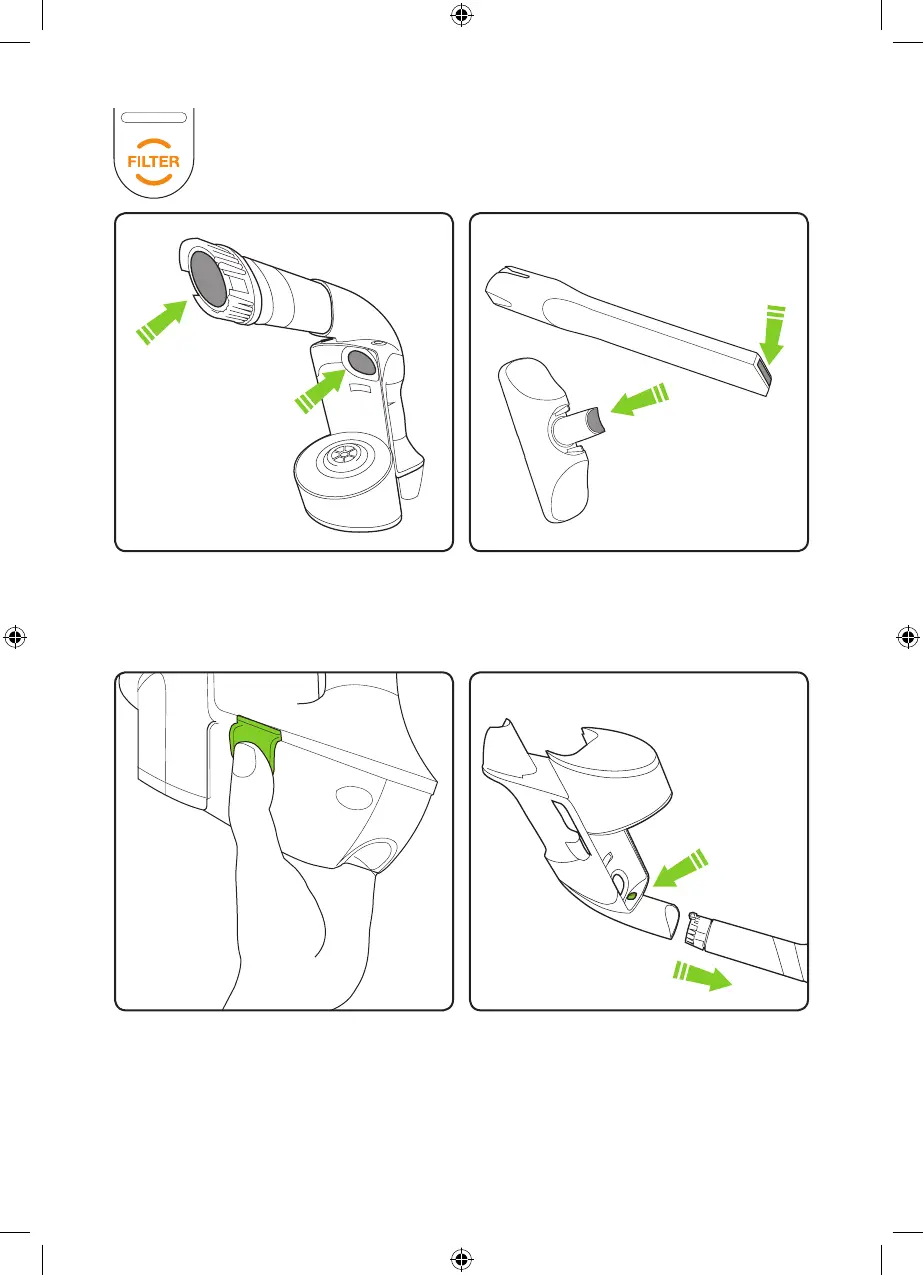
If the lter light comes on when the bin is empty
and lter is clean... you have a blockage.
Remove the battery & bin and look through
both ends of the tube. Remove any
blockages.
Press the green buttons and pull to remove
the battery. The battery can be charged
on or off the main unit. If you want to buy
a spare battery go to www.gtechonline.
co.uk or call 01905 345891
The tools can block too, sometimes.
If you damage your hose you can easily
replace it. Remove the bin, press the green
button and pull the hose.
Removing the battery Replacing the hose
Multi Manual v6.indd 8 03/09/2013 10:15



 To Next Page