17
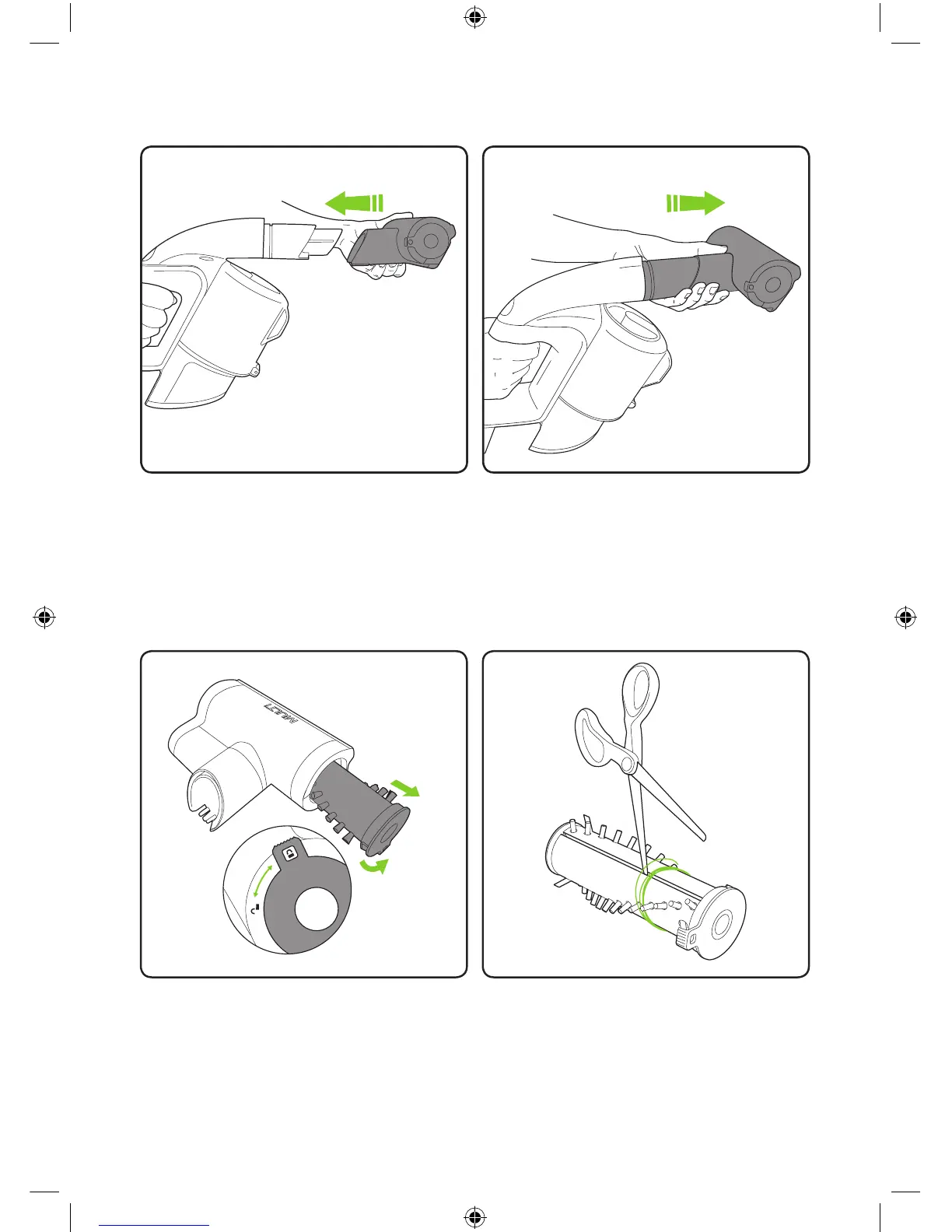
Gently pull the Power Brush from the
Multi K9 to remove. The battery should be
removed when changing attachments.
To clean the brush bar, rst remove the
power brush. Rotate the latch from the
lock to the unlock position and pull out the
brush bar.
Make sure the terminals on the Power
Brush and Active nozzle are correctly lined
up and gently push the Power brush onto
the Active nozzle. The battery should be
removed when changing attachments.
To remove hair from the brush bar, run an
open pair of scissors down the groove to
cut the hair, then pull it out. Never operate
the power brush without the brush bar in.
Power brush
2860_System_TE_K9_manual_update_aw.indd 17 31/05/2018 11:07


 To Next Page