19
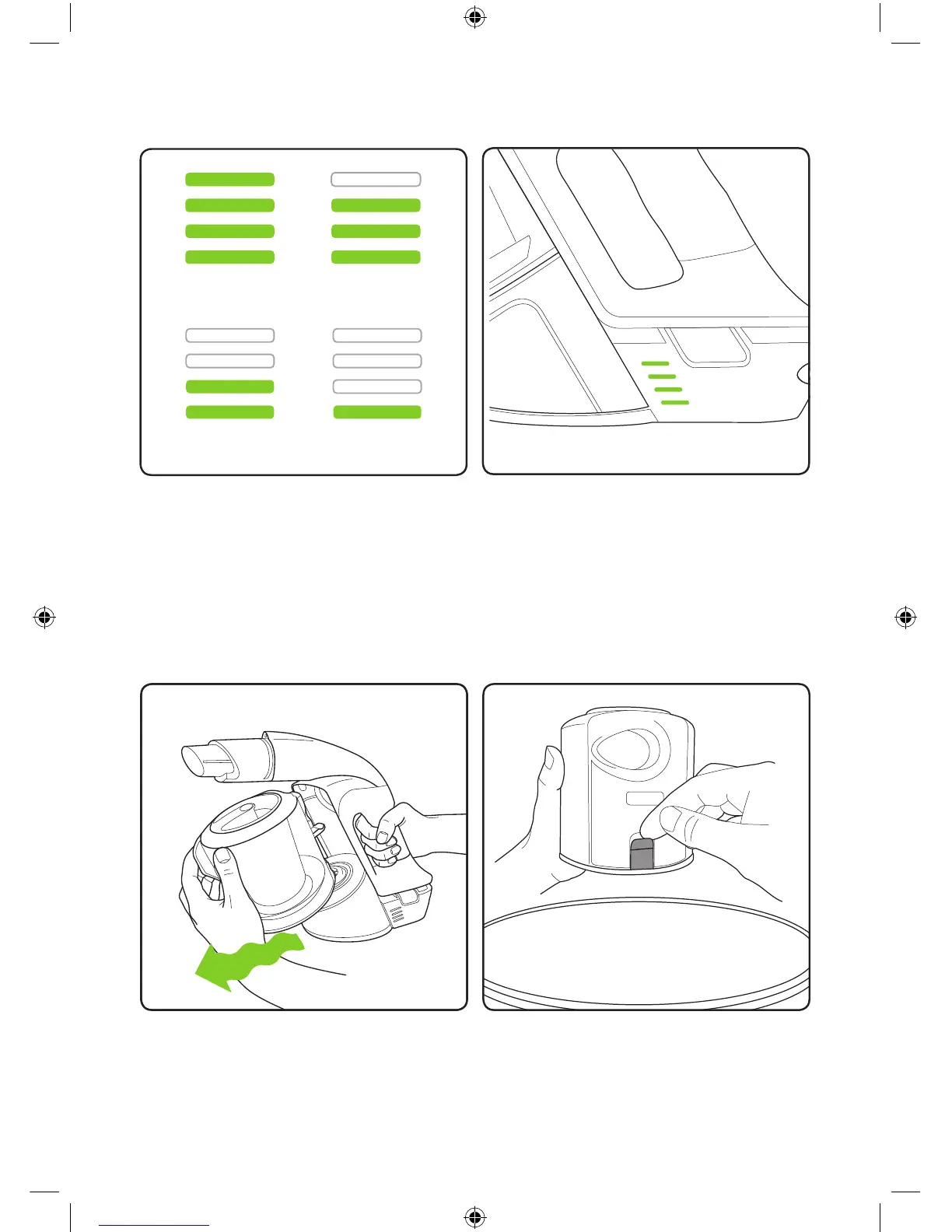
State of Charge
The battery state of charge indicator shows
how much charge the Multi K9 has. As you
use the product, the green lights will turn off
in a downwards direction.
While the battery is on charge, the LEDs
will pulsate and in turn illuminate. When the
battery is fully charged all of the LEDs will be
solid green.
100% - 75% 75% - 50%
50% - 25% 25% - 1%
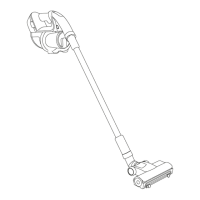
There’s no latch, the bin just pulls off.
It’s easier if you wiggle it as you pull it.
Hold the Multi K9’s bin over a rubbish bin
and release the latch to empty the dirt. A
gentle tap will help. Remove the lter and tap
off the excess debris each time you empty
the bin.
Emptying the bin
2860_System_TE_K9_manual_update_aw.indd 19 31/05/2018 11:07


 To Next Page