21
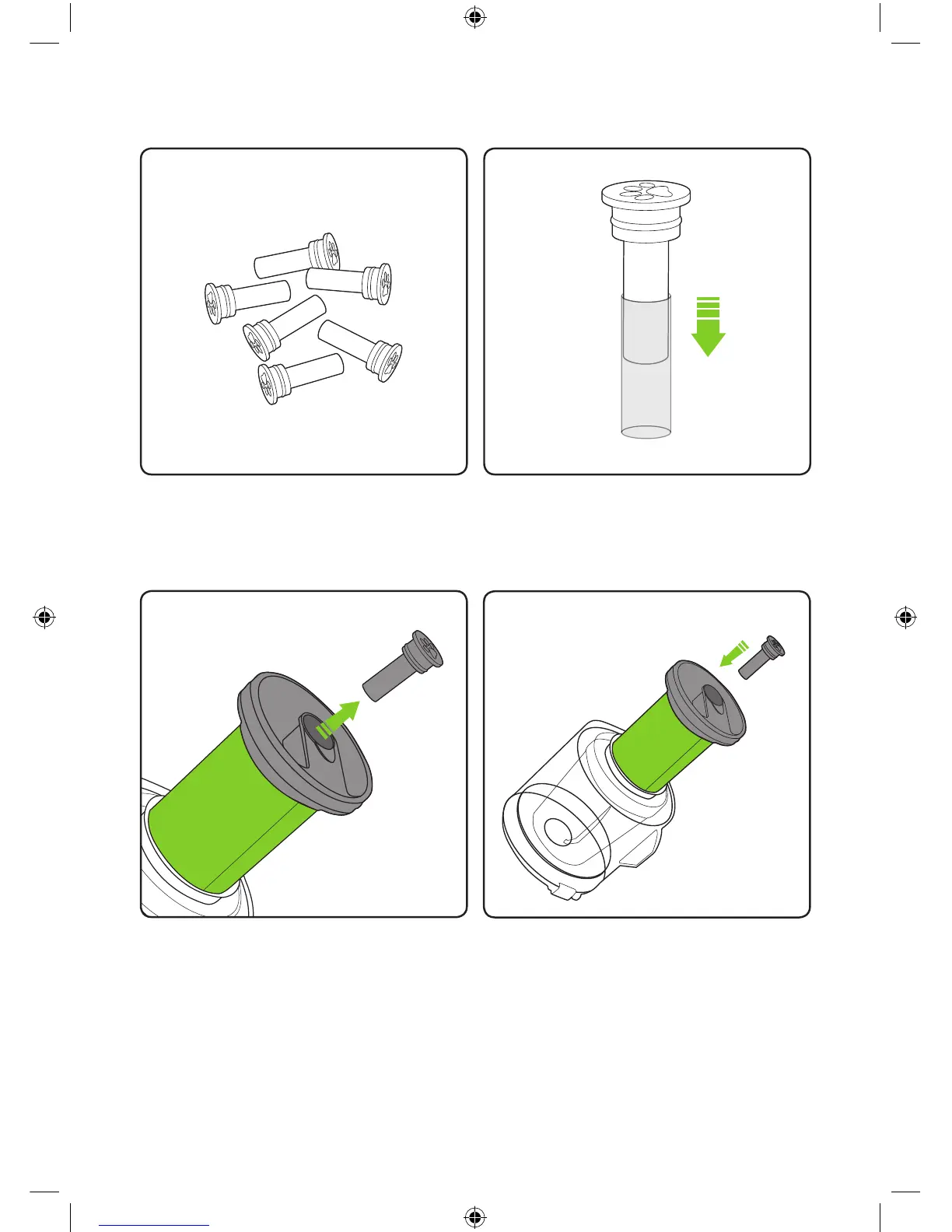
Remove the old scented cartridge by pulling
it out from the housing at the top of the lter.
Place the new scented cartridge into the top
of the lter.
Never operate the Multi K9 without the
scented cartridge tted.
Replacing the scented cartridges
Scented cartridges are available from
Gtech: Go to www.gtech.co.uk
or call 01905 345 891
Remove a scented cartridge from the bag
then slide the plastic sleeve off.
Please refer to page 11 for scented
cartridge health warnings.
2860_System_TE_K9_manual_update_aw.indd 21 31/05/2018 11:07


 To Next Page