Troubleshooting
PROBLEM POSSIBLE REASON POSSIBLE SOLUTION
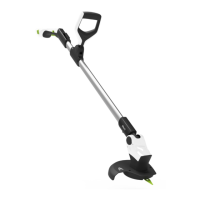
Trimmer fails to operate 1. Battery at 1. Recharge battery
Cutting blade will not cut
1. Blade worn
2. Blade damaged
3. Trimmer not fast enough
1. Replace blade
2. Replace blade
3. Charge battery
Cutting time low
1. Battery at
2. Blade damaged
3. Guard has build up of debris
1. Recharge battery
2. Replace blade
3. Clean guard
Trimmer vibrates when
running
1. Blade worn / damaged or
missing
2. Balance weight damaged /
missing
1. Fit new blade
2. Call helpline
Trimmer stops when
cutting
1. Overloaded motor
2. Battery at
1.Wait for cut-out to reset,
use lighter cutting action
2. Charge battery
No light on the charger
1. Charger not fully pushed into
mains socket.
2. Mains socket not switched on
3. Defective mains socket,
cable, or charger
1. Push the charger fully
into mains socket
2. Switch on mains socket
3. Consult a qualied elec-
trician to check the socket.
Contact customer service
centre or dealer.
If the product needs to be repaired or replaced only use parts which
are approved by the manufacturer.
For further help or assistance please contact the Gtech helpline.
Tel : 0870 7944001 email: support@greytechnology.co.uk
Helpline : 0870 7944001



 To Next Page