Display
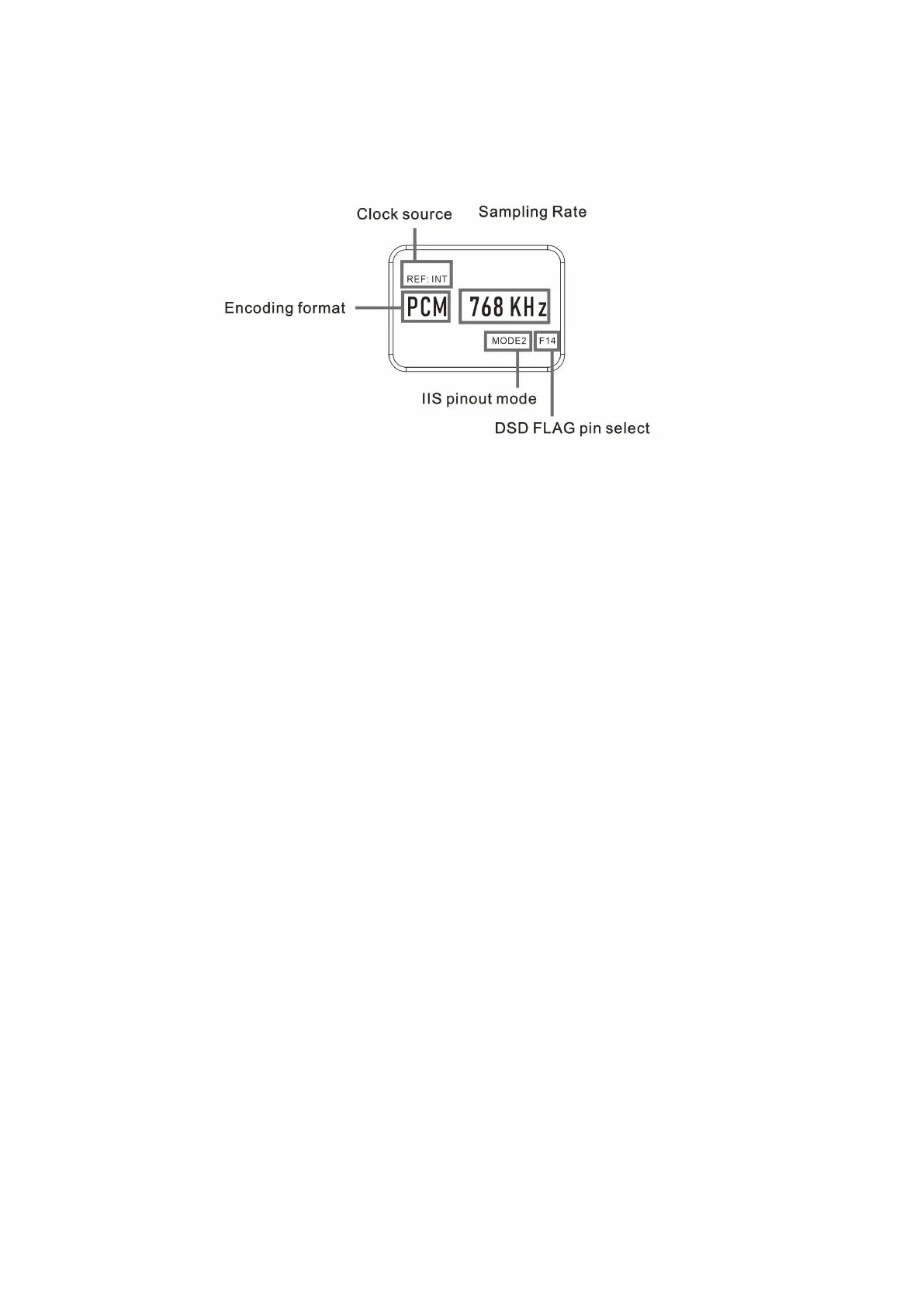
1. U18 uses a high-resolution OLED screen to display the working situation and
functions. The following figure is main page of the display.
2. Reference clock selection (REF):
By K2—Bustard’s second generation audio frequency synthesizer, U18 can use
external 10MHz clock to enhance the sound quality. Press REF button can switch
internal clock (INT) and external 10MHz clock (EXT). Internal clock uses AS338 Hi-
End oscillators from Accusilicon with ultra-low noise and jitter in fs level.
* To protect your devices, this option will not automatically change, you must select the
clock source after plug/unplug your external clock.
* When the external 10MHz clock is not working properly, an EXT ERR will be displayed and
the sampling frequency will keep blinking.
IIS pinout mode(IIS):
There are 4 modes of IIS on U18’s HDMI port: GUSTARD、MODE2、MODE3、MODE4
GUSTARD is for all Gustard’s DAC
The following figure is the pinout of different modes.
*F14/F15/F16 are programable DSD FLAG pin, can be change by long press the IIS
button. You do not need to change this option under GUSTARD mode.


 To Next Page