11
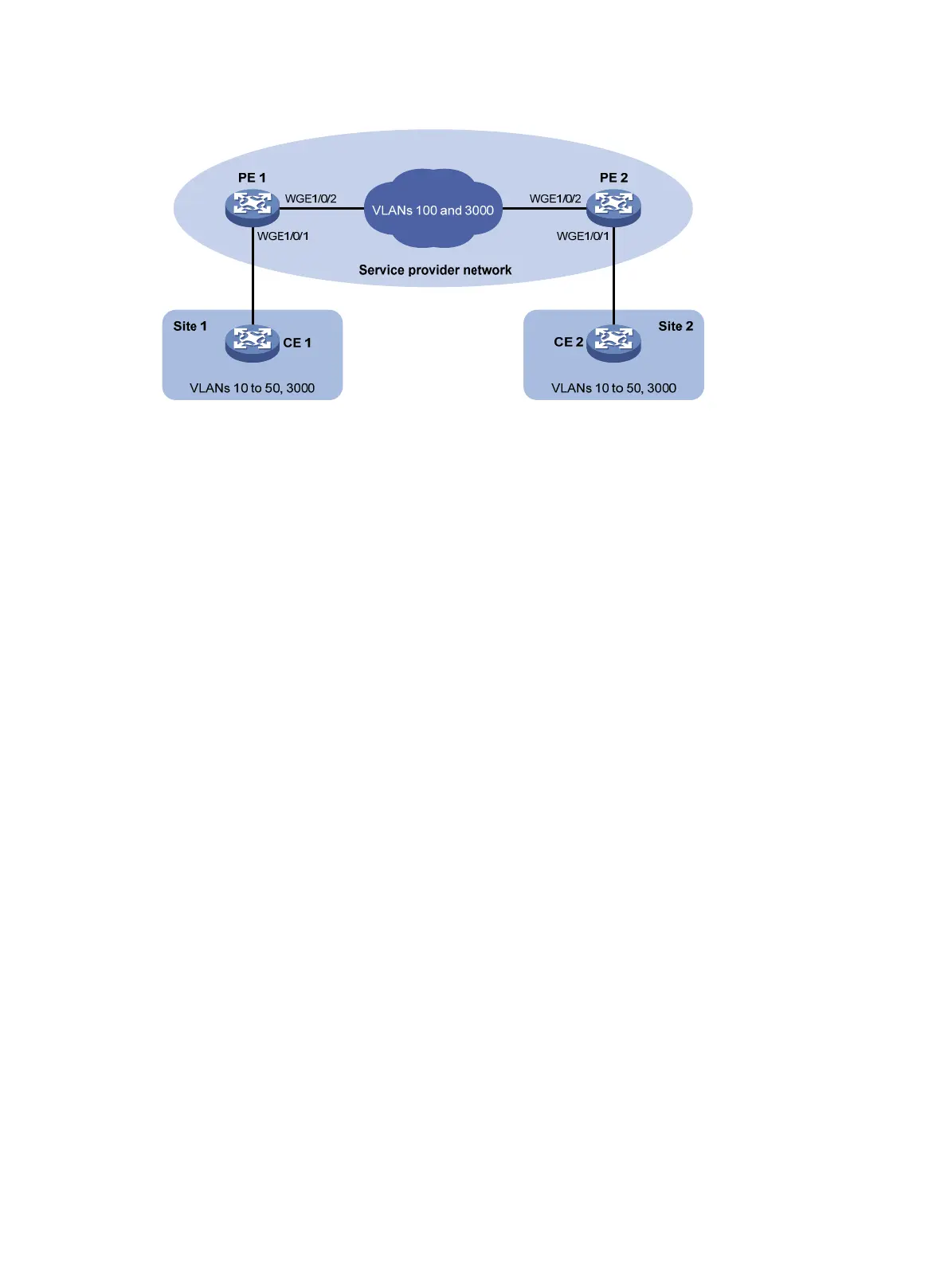
Figure 4 Network diagram
Procedure
1. Configure PE 1:
# Configure Twenty-FiveGigE 1/0/1 as a trunk port, and assign it to VLAN 100 and VLAN 3000.
<PE1> system-view
[PE1] interface twenty-fivegige 1/0/1
[PE1-Twenty-FiveGigE1/0/1] port link-type trunk
[PE1-Twenty-FiveGigE1/0/1] port trunk permit vlan 100 3000
# Set the PVID of Twenty-FiveGigE 1/0/1 to VLAN 100.
[PE1-Twenty-FiveGigE1/0/1] port trunk pvid vlan 100
# Enable QinQ on Twenty-FiveGigE 1/0/1.
[PE1-Twenty-FiveGigE1/0/1] qinq enable
# Enable transparent transmission for VLAN 3000 on Twenty-FiveGigE 1/0/1.
[PE1-Twenty-FiveGigE1/0/1] qinq transparent-vlan 3000
[PE1-Twenty-FiveGigE1/0/1] quit
# Configure Twenty-FiveGigE 1/0/2 as a trunk port, and assign it to VLANs 100 and 3000.
[PE1] interface twenty-fivegige 1/0/2
[PE1-Twenty-FiveGigE1/0/2] port link-type trunk
[PE1-Twenty-FiveGigE1/0/2] port trunk permit vlan 100 3000
[PE1-Twenty-FiveGigE1/0/2] quit
2. Configure PE 2:
# Configure Twenty-FiveGigE 1/0/1 as a trunk port, and assign it to VLAN 100 and VLAN 3000.
<PE2> system-view
[PE2] interface twenty-fivegige 1/0/1
[PE2-Twenty-FiveGigE1/0/1] port link-type trunk
[PE2-Twenty-FiveGigE1/0/1] port trunk permit vlan 100 3000
# Set the PVID of Twenty-FiveGigE 1/0/1 to VLAN 100.
[PE1-Twenty-FiveGigE1/0/1] port trunk pvid vlan 100
# Enable QinQ on Twenty-FiveGigE 1/0/1.
[PE2-Twenty-FiveGigE1/0/1] qinq enable
# Enable transparent transmission for VLAN 3000 on Twenty-FiveGigE 1/0/1.
[PE2-Twenty-FiveGigE1/0/1] qinq transparent-vlan 3000
[PE2-Twenty-FiveGigE1/0/1] quit



 To Next Page
 Loading...