EasyManua.ls Logo

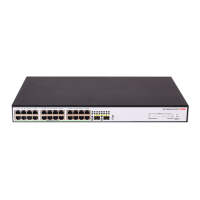
H3C S1200 Series - User Manual

H3C S1200 Series
28 pages
Print Icon
To Next Page IconTo Next Page
Loading...
H3C S1200 Switch Series
Getting Started Guide
New H3C Technologies Co., Ltd.
http://www.h3c.com
Document version: 5W100-20180626

Questions and Answers

  • J
    James MorrisAug 9, 2025
    What to do if the LAN interface LED is off on my H3C S1200?
    • D
      David Simmons Jr.Aug 9, 2025
      If the LAN interface LED is off on your H3C Switch, ensure the network cable is correctly connected to the switch's network port. Try inserting both ends of the network cable into two different network ports on the switch. If the port LEDs remain off, consider replacing the network cable.
  • W
    wwilliamsonAug 25, 2025
    How to troubleshoot a power LED that is off on an H3C S1200 Switch?
    • M
      Michelle EatonAug 25, 2025
      If the power LED is off on your H3C Switch, first verify that you are using the correct power source and that the power cords are correctly connected. Next, check that the power source itself is providing power correctly.

H3C S1200 Series Specifications

General IconGeneral
ModelH3C S1200 Series
LayerLayer 2
MAC Address Table16K
Jumbo Frame9K bytes
Power SupplyAC 100-240V, 50/60Hz
Operating Temperature0°C to 45°C
Storage Temperature-40°C to 70°C
Operating Humidity10% to 90% non-condensing
Storage Humidity5% to 95% non-condensing
Port Configuration8/16/24/48 ports

Related product manuals